EN - Page 3 of 7
This hard drive is compable with the operang systems MS Windows 7 / 8 / 8.1 / 10 and
Mac OS 10.x*. A free USB interface is required to operate it.
*Trademarks: Windows 7 / 8 / 8.1 / 10 are registered trademarks of the Microso Corporaon.
Macintosh and MAC are registered trademarks of Apple Computer. All brands and third party
names are the property of the respecve user.
System requirements
Notes:
A USB 3.0 interface card is necessary for the USB 3.0 operaon The hard drive is downward
compable to previous USB standards. The hardware conguraon of your PC and the used
operang system can inuence the compability of the hard drive.
Power supply under USB 2.0: In the case that your USB 3.0 hard drive is not recognised on a
computer with a USB 2.0 port, the power supply could be a possible cause. Please connect a USB
hub with external power supply in this case.
USE
Connecting the hard drive
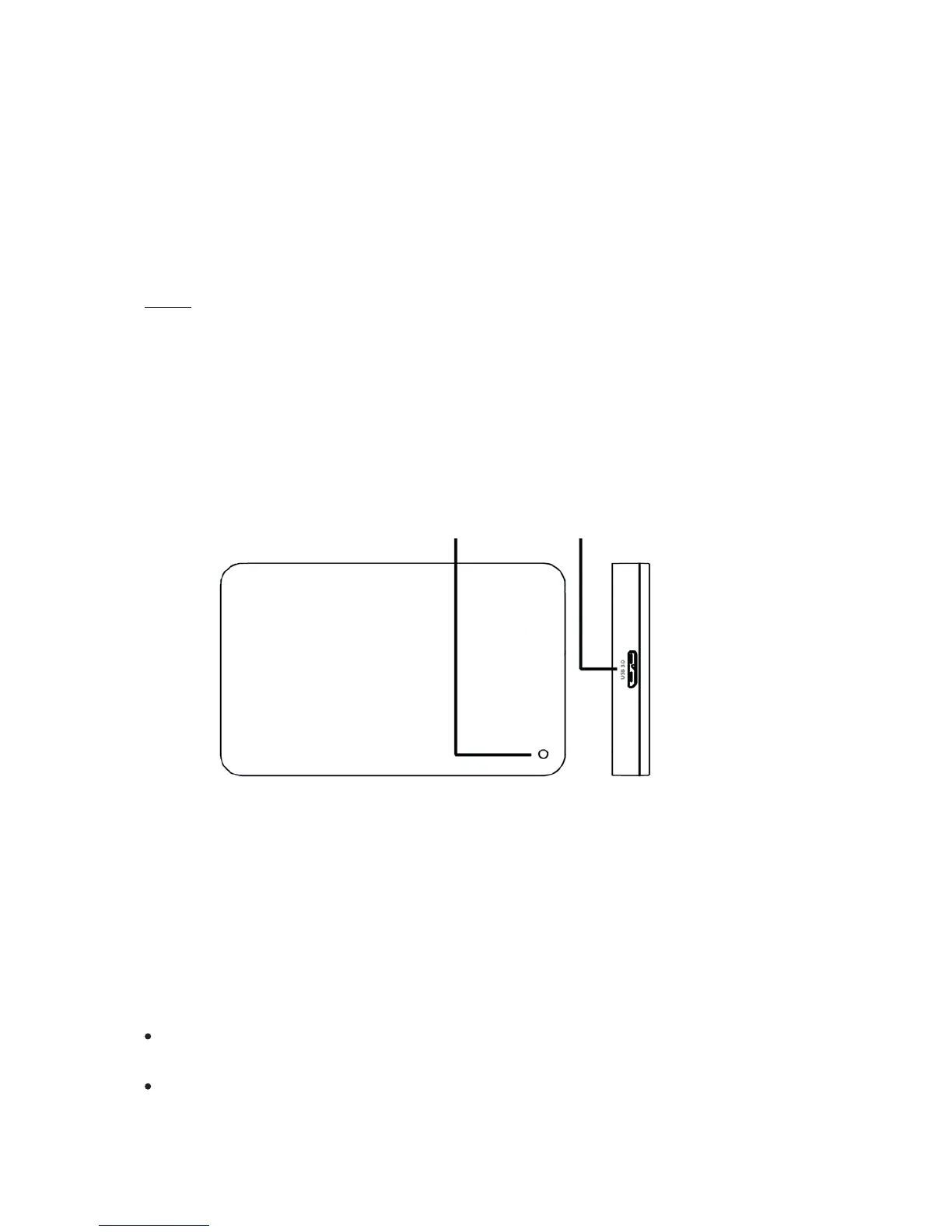
LED USB 3.0 Micro B
To connect the external hard drive to your TV or computer, please use only the supplied USB
cable. For further use with your TV please follow the operang instrucons of the manufacturer
of your TV.
Connecon to a computer: The computer recognizes the “new hardware” and installs the driver
automacally. Wait unl the driver installaon is completed. In the “workplace” there is now
another drive with the designaon “Intenso” available. As soon as the external drive is connected
with the TV or computer, the LED lights up. The LED ashes when a write or read operaon is
carried out.
Important notes for the use with a TV:
Please note that the maximum possible recording capacity can vary, dependent on the TV
used, the applied compression method and the recorded TV format (DVB or HD).
Should problems occur, please contact the Support of the manufacturer of your TV and
enquire whether there are any restricons or soware updates for your model (soware is not
acvated for TV recording, etc.).


 To Next Page
 Loading...



