DIGITAL PA SYSTEM
20
PSI-5120/5240
Additional Function
Additional Function
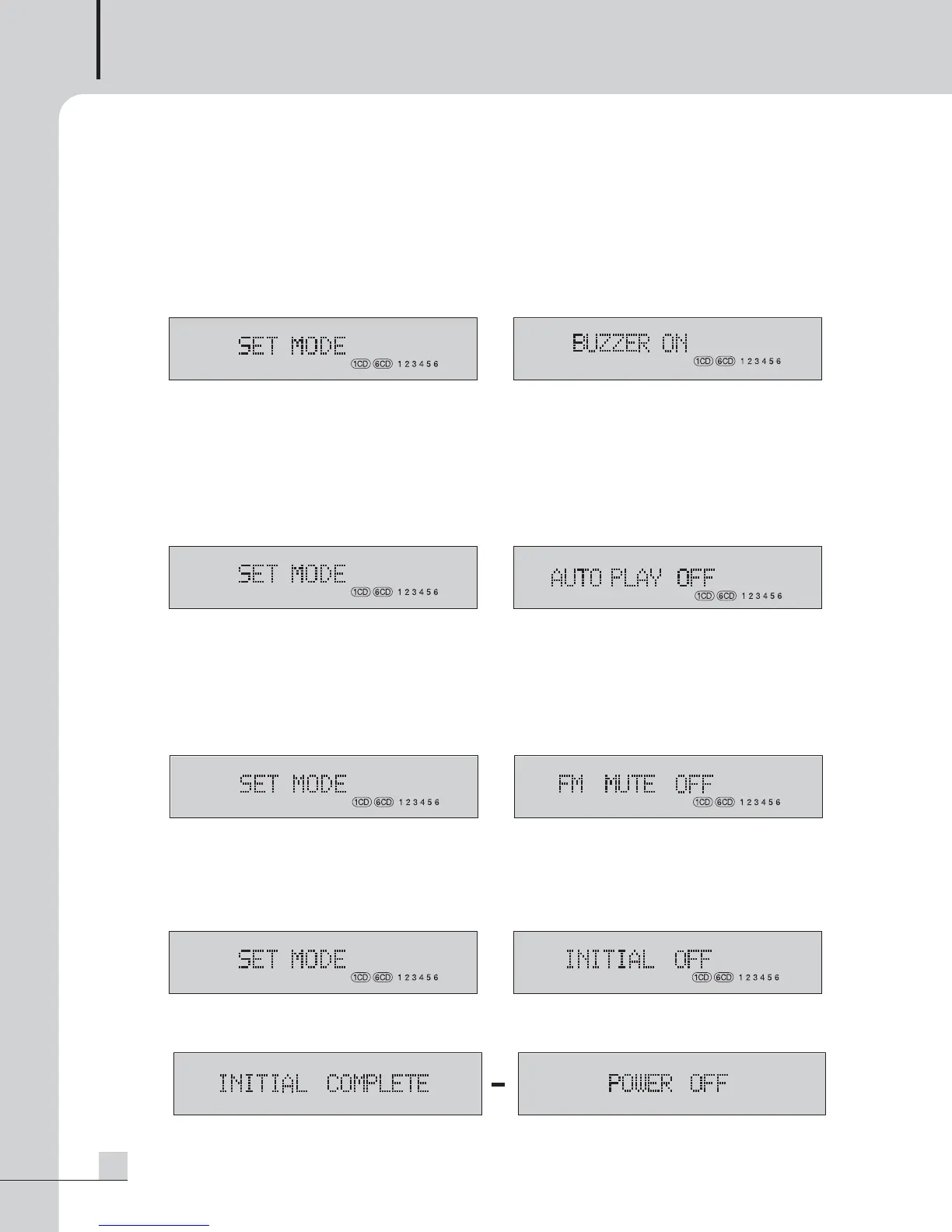
1. BUZZER SOUND ON/OFF
This function is to turn on/off buzzer sound (Phi~~) whenever pressing the button.
1) Change the function to stop mode.
2) Pressing the △ (GROUP) button together with the ■ (STOP) button shows the “SET MODE” in the display.
3) Pressing the I
◀◀
/
▶▶
I (SKIP DOWN/UP) button shows the BUZZER ON/OFF setting.
4) Select ON/OFF using the
◀◀
/
▶▶
(SEARCH DOWN/UP) button. (Default setting is ON)
5) Press the ENTER button to save the setting. Setting is cancelled if pressing the Stop button.
2. AUTO PLAY FUNCTION
This function is used to automatically play a CD (1CD/6CD) disc or file of memory (DRP/USB) if the AC power
turns on. Playback stops after playing a disc once from the first track. This function operates only when the AC
power turns on. This function does not operate when you turn the power on with the power button.
The unit automatically searches for the track immediately before turning-Off if power turns off while playing.
1) Press the I
◀◀
/
▶▶
I (SKIP DOWN/UP) button in the above “SET MODE” to select auto play function..
2) Select ON using the
◀◀
/
▶▶
(SEARCH DOWN/UP) button. (Default setting in OFF)
3) To save the setting, press the ENTER button.
4) To exit the mode, press the ■ (STOP) button.
3. FM MUTE
This function is used to select broadcastings of good sensitivity.
The broadcasting of low receiving sensitivity is muted in FM MTUE mode.
1) Press the I
◀◀
/
▶▶
I (SKIP DOWN/UP) button in the above "SET MODE" to select FM MUTE mode.
2) Select "FM MUTE ON" by using the
◀◀
/
▶▶
(SEARCH DOWN/UP) button. (Default setting is OFF)
3) Press the ENTER button to save the setting. Setting is cancelled if pressing the Stop button.
4. MEMORY INITIALIZATION
This function is used to delete files saved in the inner memory (DRP) and automatically initialize all settings.
1) Press the I
◀◀
/
▶▶
I (SKIP DOWN/UP) button in the above “SET MODE” to select initialization mode.
2) Select “Initial ON” by using the
◀◀
/
▶▶
(SEARCH DOWN/UP) button. (Default setting is OFF)
3) Press the ENTER button to initialize. After this function is completed, “Complete” and “POWER OFF” are
alternatively displayed.
4) Turn the power off and then power on to complete the initialization.
▼
▲
▶
▶
▶
▶
PSI5120_E 2009.7.31 9:33 AM 페이지 23



 To Next Page