MULTI VOICE FILE
4
PV-6232
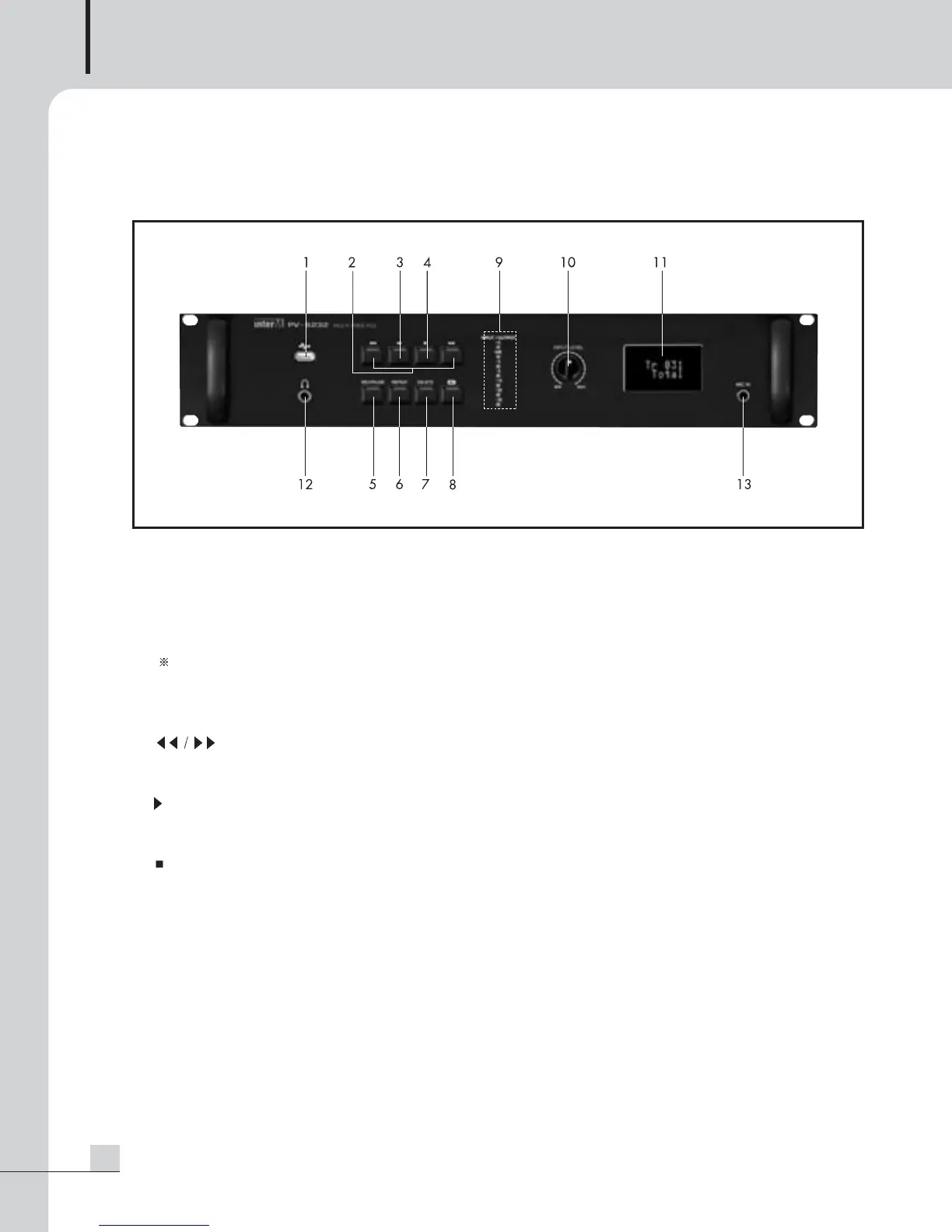
Front Panel
Front Panel
1. USB PORT
This is a terminal used for uploading or downloading MP3 files from a PC by connecting an USB cable, or
operating this unit with USB memory mounted.
In connection with a PC with an USB cable, no function buttons operate, to play stored files, remove the
cable connected to a PC.
NOTE : For mounting the USB memory, function buttons operate for USB memory and it cannot play files
contained in the built-in memory. To play files stored in the built-in memory, remove the USB
memory.
2.
I I
(SKIP DOWN/UP) BUTTON
This is a button to select previous or next file during play.
3.
II
(PLAY/PAUSE) BUTTON
Pressing this button one time will play the voice or music. Pressing this button a second time will PAUSE the unit.
4. (STOP) BUTTON
Pressing this button will stop playing or recording.
5. REC/PAUSE BUTTON
This is used for recording or pause.
6. REPEAT BUTTON
This button is used when repeatedly playing a file.
Press the button long (about 3 sec) in Standby, you can set AUTO PLAY (ON/OFF). (See to page 8)



 To Next Page