PROGRAM TIMER
14
PW-6242B
8. COPY (SCHEDULE/MEMORY)
1) SCHEDULE COPY
It is a function used when copying schedule content to other day.
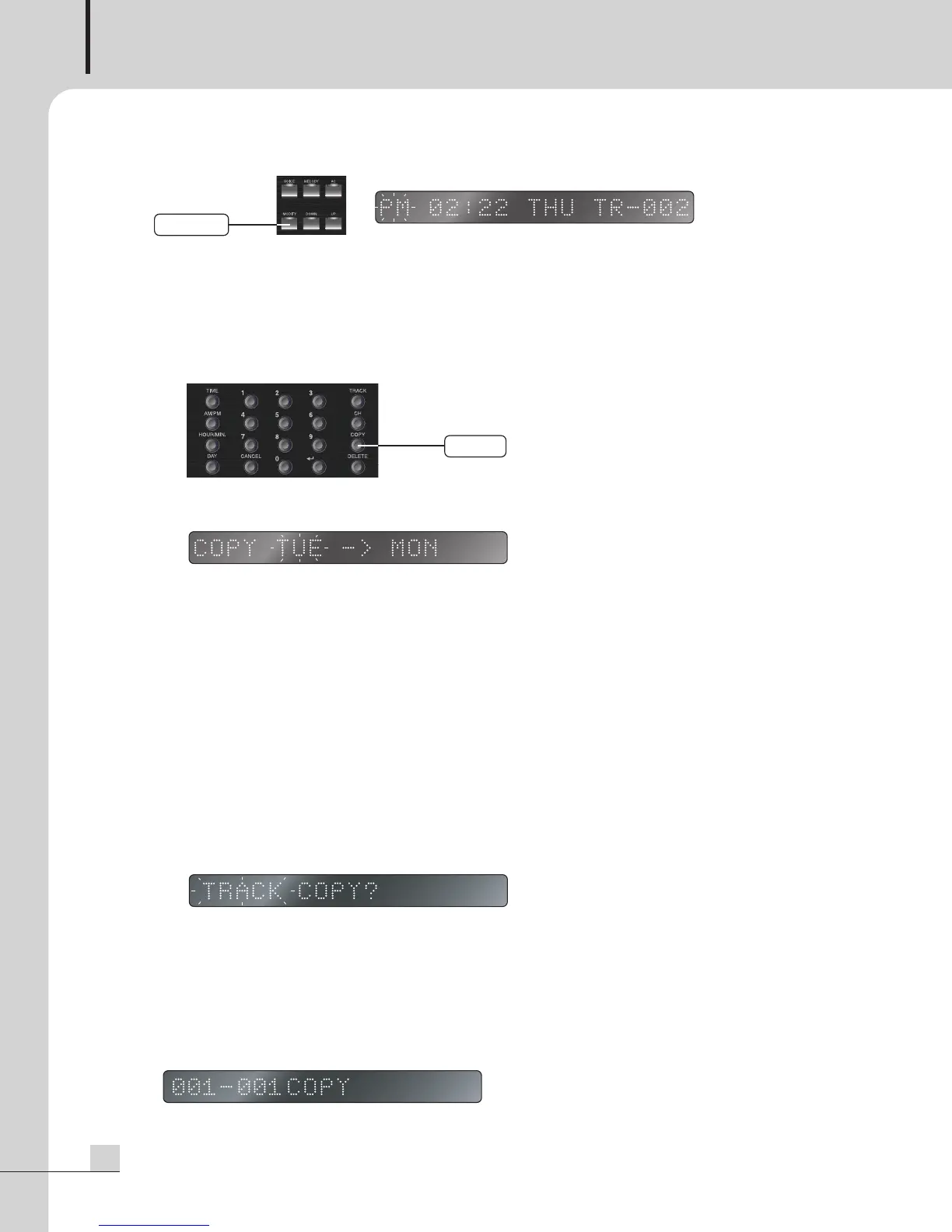
- If pushing COPY button at the standby mode, SCHEDULE / MEMORY displays on display window and
the selected mode flashes.
- If pushing ENTER button after selecting SCHEDULE with UP/DOWN button, the setting starts.
- At displayed screen, previous day is the day of original and next day is the day to be copied.
- When previous original day flashes, select the desired day using DOWN/UP button or DAY button.
- If pushing COPY button again, next day to be copied flashes and at this point, select the desired day
using DOWN/UP button or DAY button.
- If pushing ENTER button after setting, COPY performs.
2) MEMORY COPY
It is a function to copy the file in USB memory to internal memory. COPY from internal memory to USB
memory is not acceptable.
- Mount the USB Memory into USB memory connecting terminal (USB A Type).
- If pushing COPY button at the standby mode, SCHEDULE / MEMORY displays on display window and
the selected mode flashes.
- If pushing ENTER button after selecting MEMORY with UP/DOWN button, it converts into the mode to
set COPY range.
* TRACK: COPY by selecting the track range.
* ALL: COPY the whole memory files.
<Partial COPY>
- If pushing ENTER button after selecting TRACK, the number of total melodies saved to USB memory is
displayed on display window and you can designate the area to copy.
- Input Start track no. by using digit button.
CoPy
MoDify
PW-6242B_MANUAL_141346_FOR.qxp_RFA 2017. 11. 13. 오후 4:53 페이지 14


 To Next Page