D-0127810-A – 2020/05
AS608 - Instructions for Use - US Page 18
Press Change to toggle between “2 correct out of 3 answers” and “3 correct out of 5 answers”. The
conditions used before going to the next frequency.
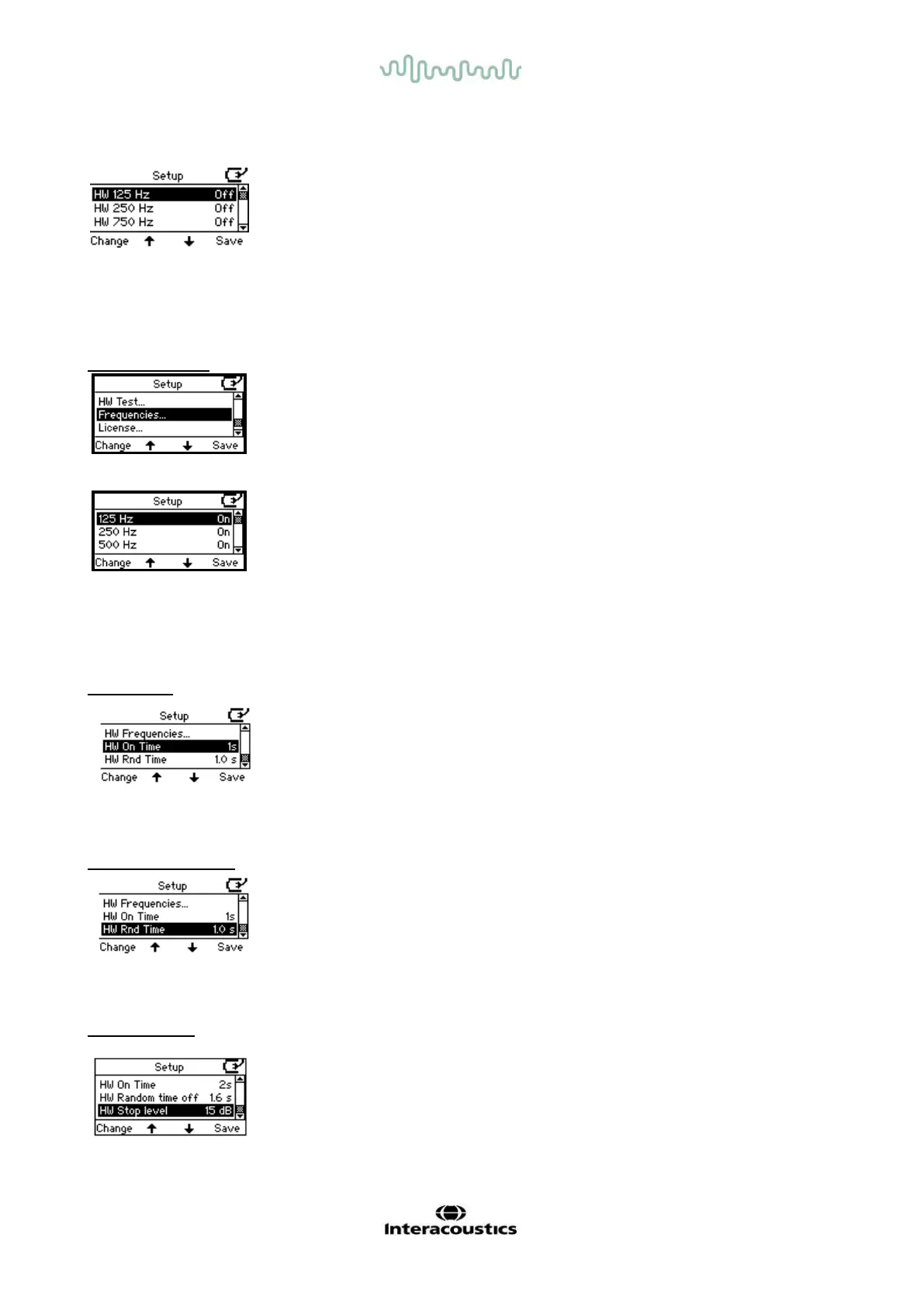
Select the frequencies to include in the HW test. Press Change to toggle between frequencies On/Off.
Press Save to return to the main HW setup menu.
HW Frequencies
Press Change to access the default frequency range from 125Hz to 8 kHz for daily operation.
7 frequencies are available to change: 125, 250, 750, 1,500, 3,000, 6,000 and 8,000.
Press Change to toggle between On or Off.
HW on time
I
Press Change to set the stimulus on time to 1 or 2 seconds.
HW random time off
Press Change to set the random time.The random time can be set between 0 and 1.6 seconds.
HW lower limit
Press Change to set the lower limit and determine when to move on to the next frequency. The lower limit
can be set between -10 and 20 dB.



 To Next Page