Titan DPOAE Operating Manual Page 7
2 Getting Started
2.1 Preparing for the Test
2.1.1 DPOAE patient Instruction
Place the patient on a comfortable chair or on an examination table if necessary. Small children
may feel more comfortable sitting on a parent's or nurse's lap. Show the probe to the patient and
then explain the following:
The aim of the test is to screen the hearing organ for its functionality.
The tip of the probe will be inserted into the ear canal and has to make a good seal.
Multiple tones will be heard during the test.
No participation is expected from the patient.
Coughing, talking and swallowing will disturb test results.
2.1.2 Visual inspection of the ear canal
Check the external ear canal for wax with an otoscope and remove excessive wax to prevent the
probe opening from clogging which will inhibit testing. Excessive hairs may have to be cut.
2.2 Starting from OtoAccess™
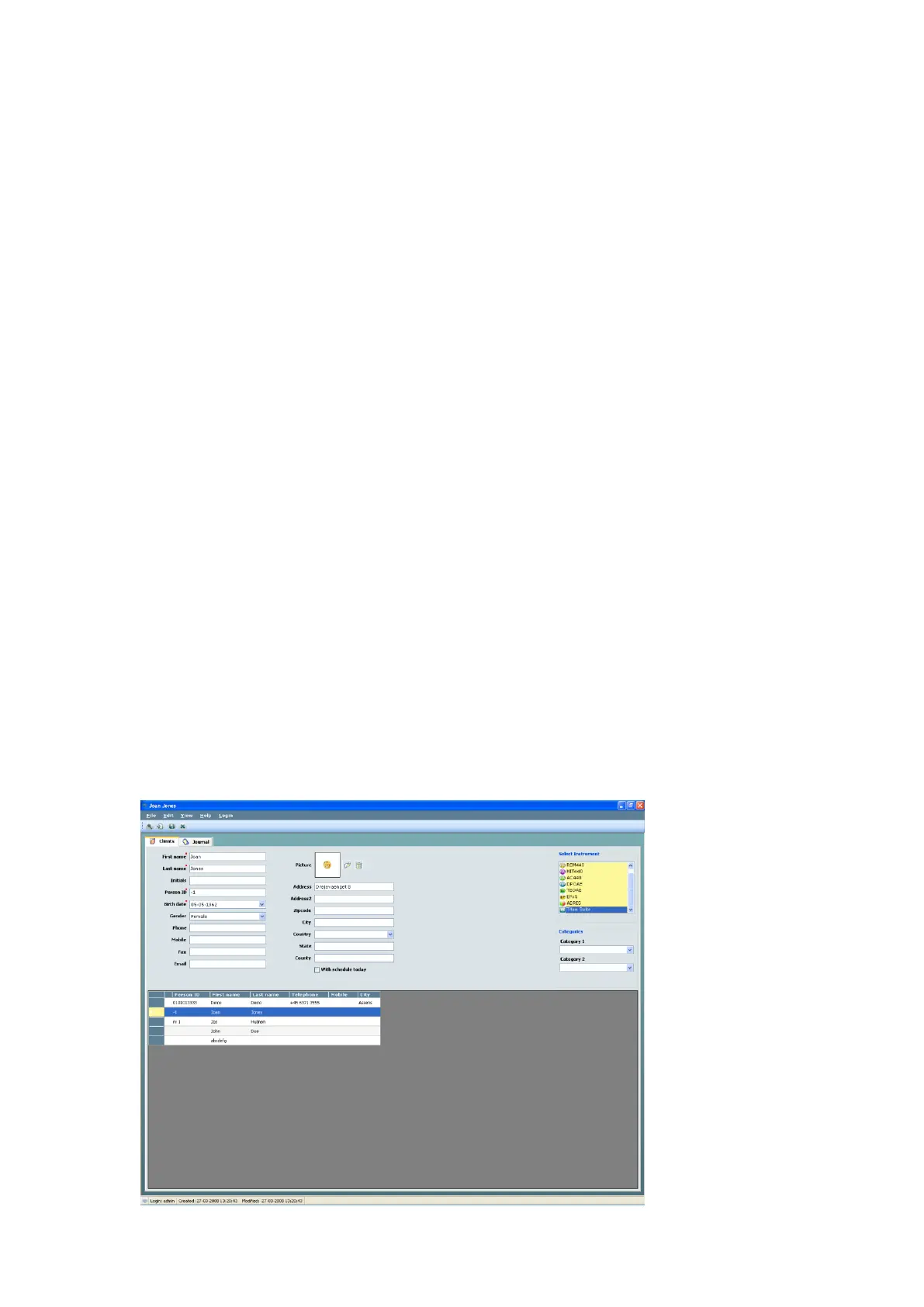
To start the Titan Suite from OtoAccess™:
1. Open OtoAccess™
2. Select the patient you want to work with by highlighting it blue
3. If the patient is not yet listed:
- press the New client button
- fill in at least the mandatory fields, marked with a red asterisk.
- save the patient details by pressing the Save patient information button.
4. Double click on the Titan Suite in the Select Instrument box.
Now the Titan Suite will open and automatically search for the hardware. If it does not detect the
hardware a dialog box pops up and asks if you want to run the Titan Suite in Simulation mode. To
continue with the use of hardware,



 To Next Page