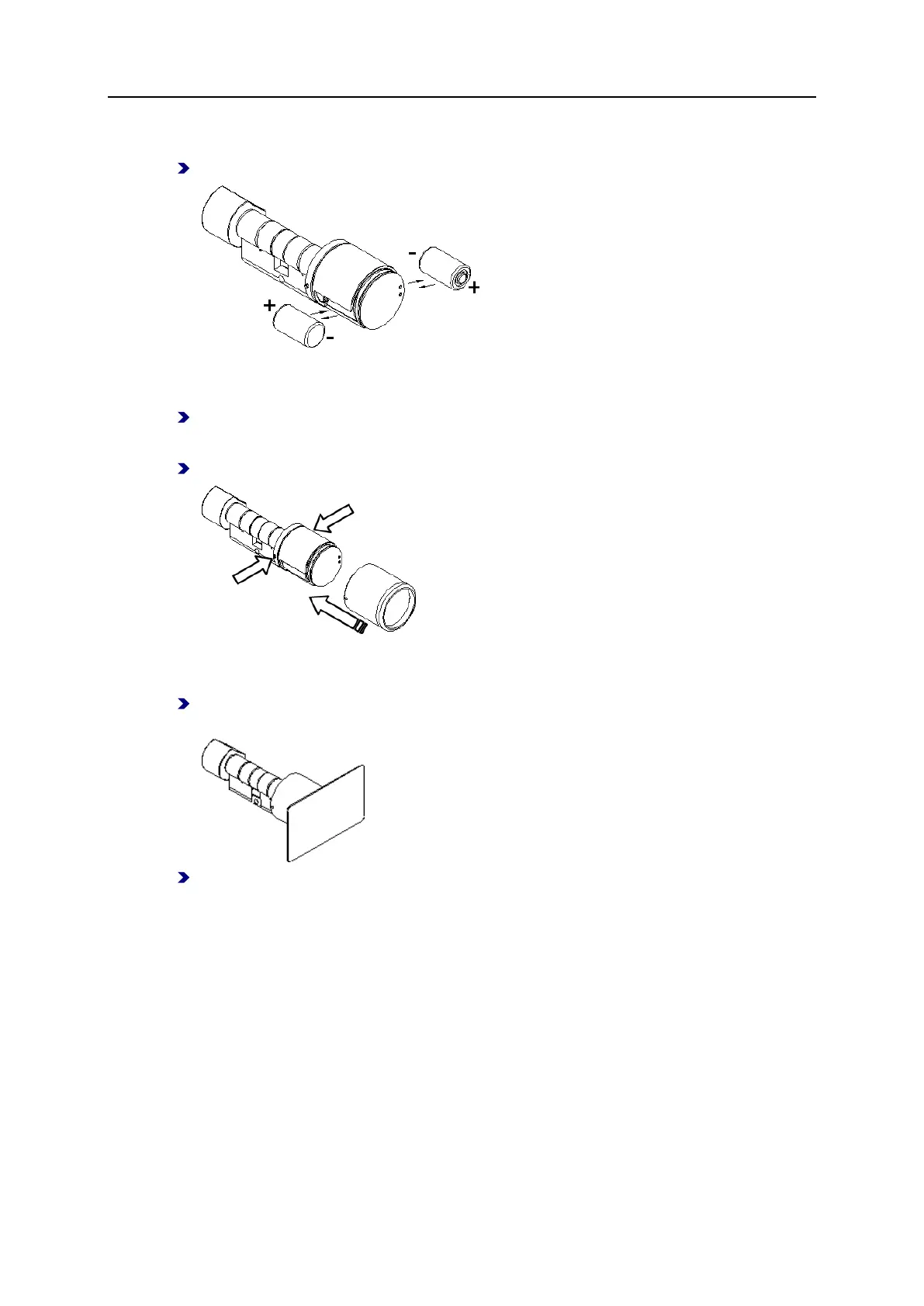
Step 4: Replace the batteries:
(if the polarity is incorrect, there is no signal)
Step 5 (for current firmware version no longer necessary): Repeat steps 1 and 2:
Step 6: Push in the locking pins and reattach the knob module cover:
Ensure that the locking pins engage correctly with the cover.
Step 7: Exit battery replacement mode, i.e. hold the battery replacement card or an
authorized credential in front of the knob module:
Step 8 (for current firmware version no longer necessary): Reset the time using the time
card.
See also
Visual/Audible Signals ................................................................................... 17



 To Next Page