TruVision Series 3 IP Camera FW3.1 Configuration Manual 25
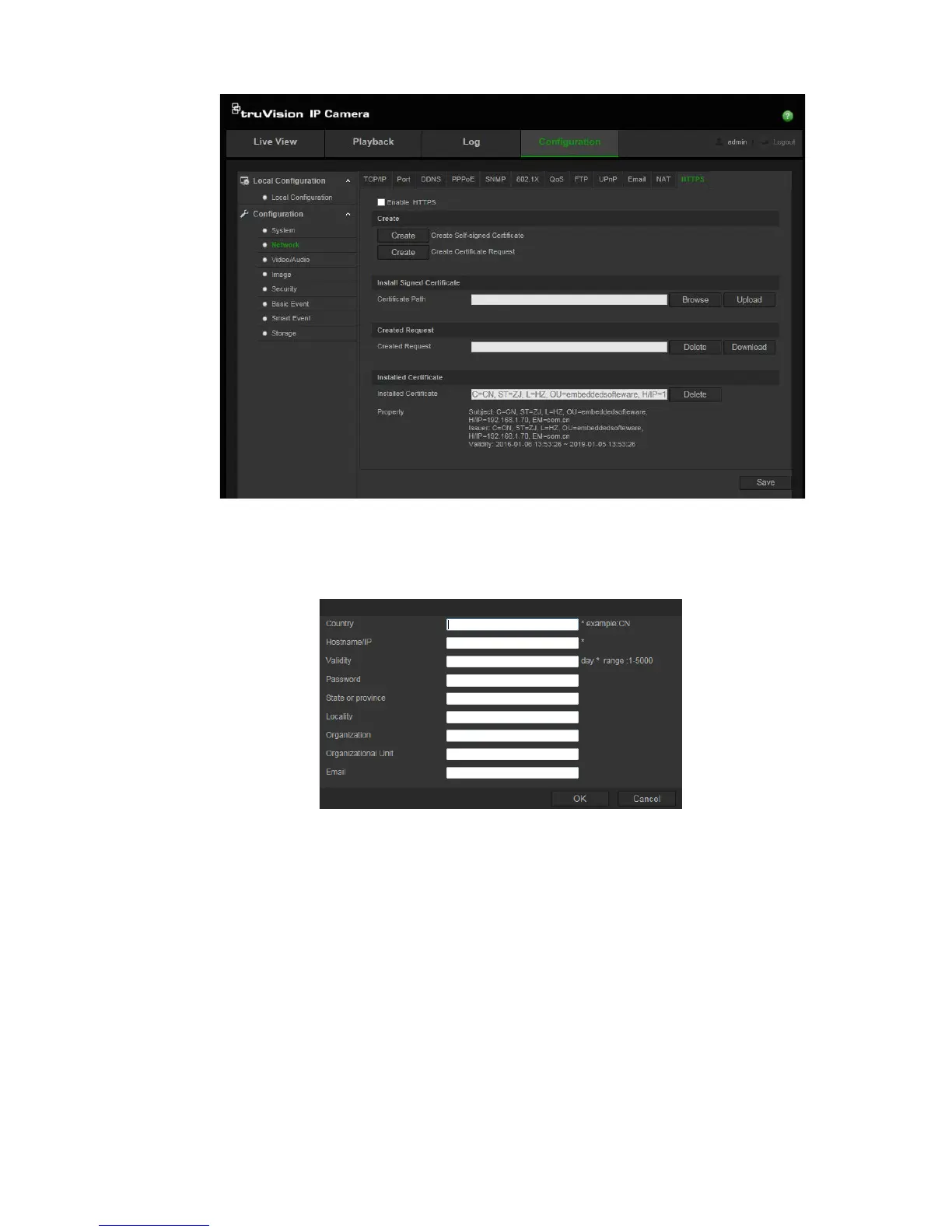
2. To create a self-signed certificate:
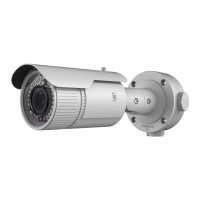
Click the Create button beside “Create Self-signed Certificate”. Enter the
country, host name/IP, validity and the other information requested.
Click OK to save the settings.
-Or-
To create a certificate request:
Click the Create button beside “Create Certificate Request”. Enter the
country, host name/IP and the other information requested.




 To Next Page