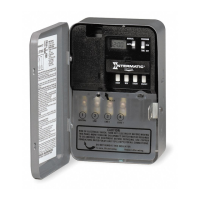
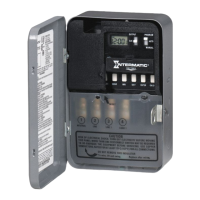
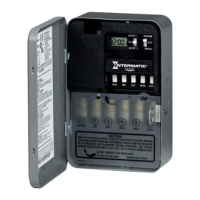
®
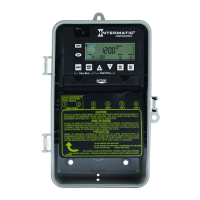
ET100 SERIES
INCLUDING MODELS:
ET101C (SPST)
ET103C (DPST)
ET105C (SPDT)
Electronic 24 Hour Time Switches
With Battery Carryover
OWNER/INSTALLER INSTRUCTION MANUAL
ATTENTION: READ CAREFULLY BEFORE ATTEMPTING TO INSTALL YOUR INTERMATIC
TIME SWITCH. FAILURE TO COMPLY WITH INSTRUCTIONS COULD RESULT IN PERSONAL
INJURY AND/OR PROPERTY DAMAGE! RETAIN FOR FUTURE REFERENCE.
Specifications
CLOCK VOLTAGE: 120 V.A.C., 60 Hz.
POWER CONSUMPTION: 3.0 Watts Max. (ET101C) &
(ET105C)
5.0 Watts Max. (ET103C)
CONTACT CONFIGURATION: SPST model ET101C
DPST model ET103C, & SPDT model ET105C.
SWITCH RATING: (Per Pole for ET103C)
• 30 Amps Inductive/Resistive, 24/120/240 V.A.C., 60 Hz.
• 20 Amps Resistive - 28 V.D.C.,
• 1 H.P. 120 V.A.C., 60 Hz.
• 2 H.P. 240 V.A.C., 60 Hz.
• 5 Amps Tungsten, 120/240 V.A.C., 60 Hz.
• 20 Amps Ballast 277 V.A.C., 60 Hz.
SWITCH RATINGS: ET105C
N.O. N.C. CONTACT
20 AMP 10 AMP Resistive and 28 VDC.
General Purpose 120-240 VAC
1 H.P. 1/4 H.P. MOTOR 120 V.A.C.
2 H.P. 1/2 H.P. MOTOR 240 V.A.C.
5 Amp - TUNGSTEN 120-240 V.A.C.
20 Amp 3 Amp BALLAST 120-277 V.A.C.
SET POINTS (EVENTS): 8 total (4 ON/4 OFF).
BATTERY POWERED CLOCK OPERATION: 3 Years minimum
(AA industrial grade alkaline supplied with time switch)
MIN. “ON” or “OFF” TIME: 1 minute.
MAX. “ON” or “OFF” TIME: 23 hours 59 minutes.
SHIPPING WEIGHT: 2,5 Lbs. (1.1 Kg)
CASE: Drawn steel; 7-3/4” (19.7 cm) high, 5” (12.7 cm)
wide, 3” (7.6 cm) deep; gray finish w/lockable spring hasp.
KNOCKOUTS: Combination 1/2 - 3/4” (one on back and
each side, two on bottom).
WIRE SIZE: AWG #10 through #18.
General Safety Information
WARNING: Disconnect all power before installing or
servicing this time switch or its connected loads.
1. Follow all local electrical and safety codes, National
Electric Code (NEC), as well as Occupational Safety and
Health Act (OSHA).
2. If the power disconnect point is out of sight, lock it in the “OFF”
position and tag it to prevent unexpected application of power.
3. This time switch case must be grounded.
4. Do not exceed the maximum current carrying capacity of this
time switch.
5. Always replace the plastic insulator covering the terminal
before turning power “ON”.
AM ON
5:20
Description
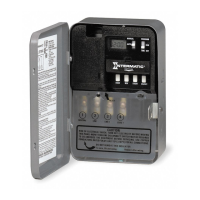
The Intermatic Electronic 24 Hour Time Switch automatically
switches loads according to a preset daily schedule.
This time switch is designed to directly switch loads up to 30 amps
and to switch resistive or inductive loads up to the time switch rat-
ing. For use as a control timer in applications requiring 24 hour
load control such as lighting, heating, air conditioning systems,
pumps, etcetera. Up to eight set points or events (4 ON/4 OFF) can
be preset. this schedule will repeat on a daily basis. The program
can be overridden by using the MANUAL position.


 To Next Page
 General