1
Day Of Week (DOW) Display — events can be programmed for
just one day of the week, all the days of the week, just weekdays
or just weekends
Event Display — the timer can be programmed for up to 28 total
ON/OFF events per week
Mode Display — the timer can display several modes during
setup and programming and three modes during operation:
MANual, AUTO and RANDom. MANual allows for manual operation
of the plugged-in devices, AUTO uses the timer’s exact settings
and RANDom uses the timer’s settings varied by random 5-minute
increments of ±30 minutes.
Output Status Indicator — this is the ON/OFF indicator. When the
green light is on it means that the lamp or appliance should be
on. If it is not on, the bulb may be burned out or the device may
be turned off at the lamp or appliance.
NOTE: You may set up and program the timer before you plug it
in. Be aware that while it is unplugged, the display will turn off to
conserve battery power if there is no pushbutton activity for a few
minutes. If this happens, simply push any button to turn the display
back on.
8.
9.
10.
11.
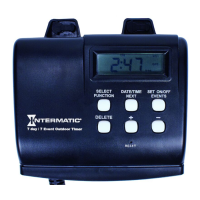
Digital Outdoor Timer
Input: 102-132 VAC 60 Hz, 2.5W max.
Output: 15 Amp/1800W Resistive, 12 Amp Inductive, 1000W Tungsten,
1/3 HP
•
•
Installation and User Instructions
MODEL HB800 Series
2 – Get Familiar with the Timer’s Features
Ratings
The timer comes with two LR44
batteries installed.
Remove the pull tab to connect
the installed batteries.
The display will initialize itself,
then flash “12:00 AM” in the
CLOCK mode (Fig. 1).
NOTE: If display doesn’t light, the batteries are dead. Replace the
batteries before using the digital timer.
1.
2.
ON
DAYSAV MAN AUTO RAND CLOCK
YEARDATE
MONTH
SKIP
EVENT
MO TU WE TH FR SA SU AM PM
OFF LOC DUSK DAWNON
DAYSAV MAN AUTO RAND CLOCK
YEARDATE
MONTH
SKIP
EVENT
MO TU WE TH FR SA SU AM PM
OFF LOC DUSK DAWN
1 – Activate the Batteries
Plug timer power cord into GFCI only.
Do not exceed capacity of 15 amps.
Fully insert plugs.
Not for use with power tools such as hedge trimmers, weed trimmers and
lawn mowers.
As power cord blends with grass and foliage, use care when operating lawn
equipment near cord.
Keep children away.
•
•
•
•
•
•
WARNING — Risk of fire or electric shock
Follow local electrical codes during use.
Store indoors when not in use.
Dispose of used batteries promptly per local regulations.
•
•
•
NOTICE
It’s unlikely that your new digital timer has any existing
programming, but to make sure, use this procedure before setting
the time.
Locate the Reset button. It is the small, round hole adjacent to the
keypad. You will need a pen or paper clip to press this button.
Press and hold the ON/OFF button.
Press the Reset button for 3 seconds and release. The display will
light up and then go blank.
Release the ON/OFF button.
NOTE: Pressing the Reset button without holding down the ON/
OFF button will clear the time, but will not clear the non-volatile
(programming) memory.
1.
2.
3.
4.
3 – Clear Any Existing Programming
NOTE: The following procedure must be completed entirely,
including adjustments, in order for the Astronomic and automatic
Daylight Saving Time features to function properly.
Setting Time
Ensure that the timer is in the CLOCK mode (Fig. 1). If it is not,
press the MODE button a few times (through MANual, AUTO and
RANDom) until CLOCK shows in the mode display area, then
press OK.
Turn the selector knob until the correct hour shows in the first
two digits of the Time Of Day (TOD) display, along with the
correct AM and PM display. Note that the AM and PM displays will
alternate as the time passes through 12.
Press the OK button to set the hour. The last two digits of the TOD
display (minute display) will begin to flash.
Turn the selector knob until the
correct time in minutes shows.
Press the OK button to set the
minutes. MONTH, DATE and YEAR
will show in the mode display area,
with the digits under YEAR flashing
(Fig. 3).
1.
2.
3.
4.
5.
Fig.
3
ON
DAYSAV MAN AUTO RAND CLOCK
YEARDATE
MONTH
SKIP
EVENT
MO TU WE TH FR SA SU AM PM
OFF LOC DUSK DAWN
OK MODE PROG ON/OFF
Fig.
3
ON
DAYSAV MAN AUTO RAND CLOCK
YEARDATE
MONTH
SKIP
EVENT
MO TU WE TH FR SA SU AM PM
OFF LOC DUSK DAWN
OK MODE PROG ON/OFF
4 – Set the Time, Date and Location
Fig.
1
Fig.
2
Battery Holder (back of unit)
— two LR44 batteries keep
time up to three months
without power
Low Battery Indicator —
programmed data is stored
in non-volatile memory,
so it won’t be lost when
batteries are removed
NOTE: Replace the batteries
as soon as possible after
the low battery indicator
appears.
Time Of Day (TOD)
Display — the timer will
automatically adjust for
Daylight Saving Time (DST)
and changing dawn and
dusk times for your location
(Astronomic feature)
1.
2.
3.
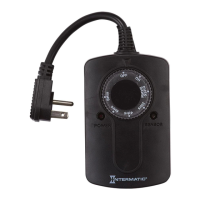
Pushbuttons
Two Timed, Grounded Outlets
Selector Knob
Reset Button
4.
5.
6.
7.
+
MO TU WE TH FR SA SU
EVENT
MONTH
ON OFF LOC DUSK DAWN
DATE YEAR
AM PM
MAN AUTO RAND CLOCK
SKIP
DAYSAV
OK MODE
PROG
ON/OFF
1 2
4
3
6
5
7
8
9
10
11



 To Next Page
 General