EasyLAN 10i2 Ethernet Adapter Quick Start Guide 9
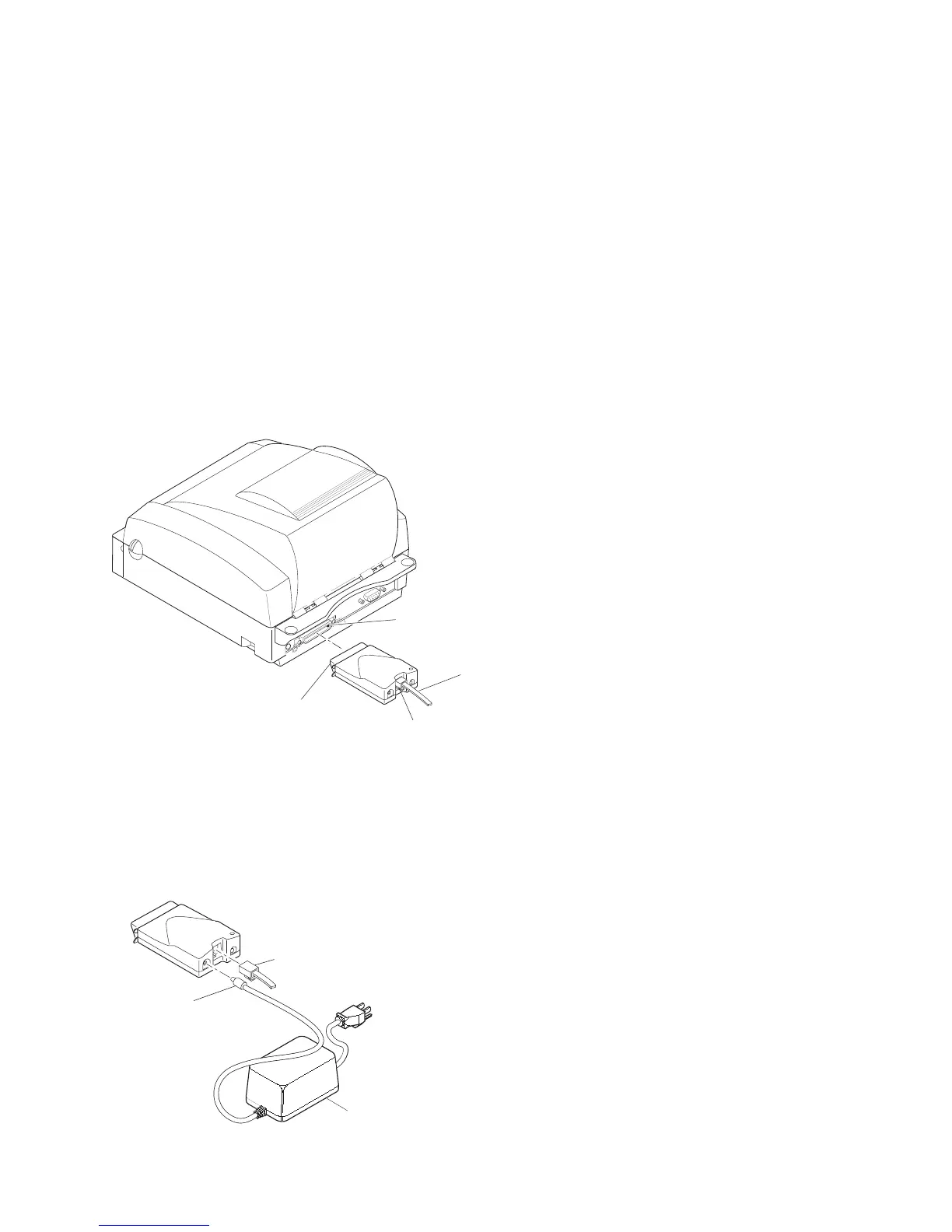
2 Turn off the printer.
3 Plug the parallel port connector on the adapter into the
parallel port on the printer.
EL10i009.eps
10BaseT
connector
Parallel
port
Parallel port
connector
10BaseT
cable
4 Connect one end of a 10BaseT cable to the 10BaseT
connector on the adapter.
5 Connect the other end of the 10BaseT cable to an
Ethernet port for your network.
6 If necessary, plug in the external power supply.
EL10i008.eps
10BaseT
cable
External
power
supply
connector
External
power
su
l



 To Next Page