PM23c, PM43, PM43c UART+Industrial Interface Installation Instructions 5
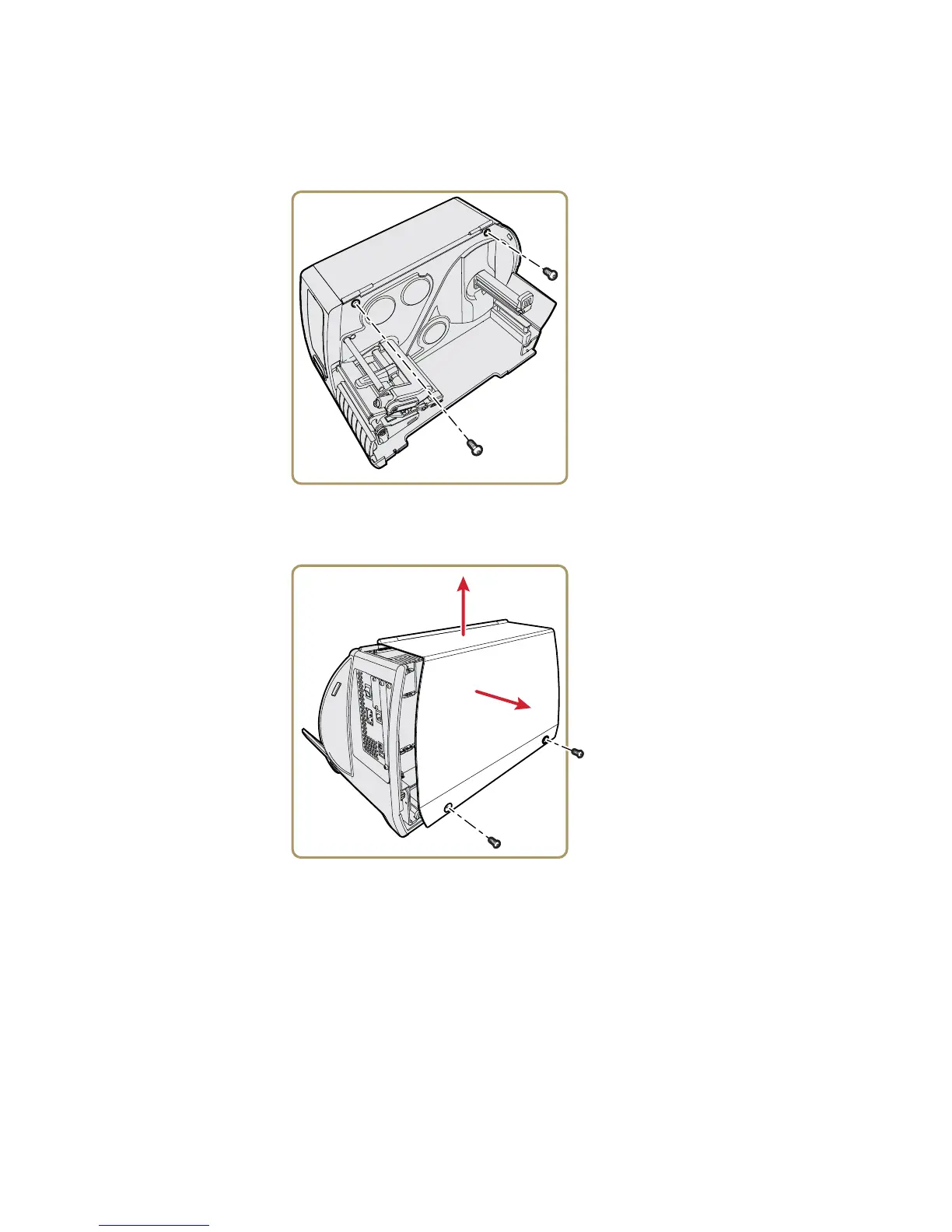
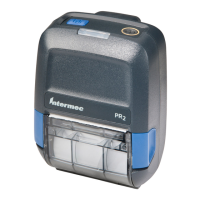
To remove the electronics cover
1 Use a T20 Torx screwdriver to remove the two screws that
secure the electronics cover to the inside of the printer base.
2 Use a T20 Torx screwdriver to remove the two screws located
on the outside of the electronics cover.
3 Remove the electronics cover, and put the cover aside on a
soft cloth to avoid scratches.


 To Next Page