6 PM23c, PM43, PM43c UART+Industrial Interface Installation Instructions
To install the UART+Industrial interface board
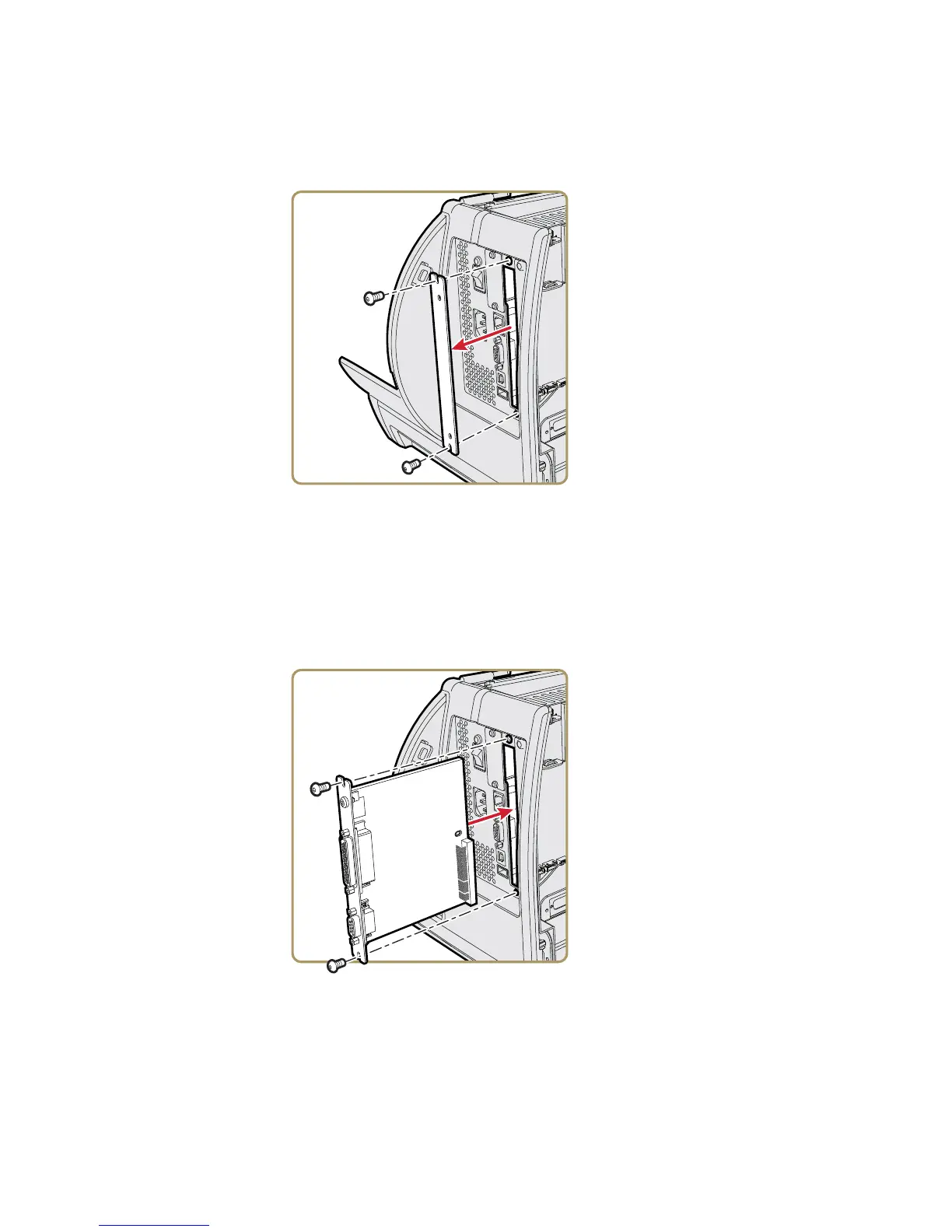
1 On the back of the printer, remove the two screws that secure
the cover plate to the printer, and remove the cover plate.
2 Attach the spacer screw to the center of the printer main
board.
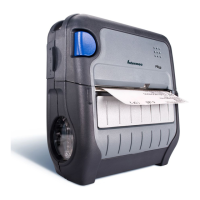
3 Insert the UART+Industrial interface board into the printer
and use the T20 Torx screwdriver to secure the board
assembly to the printer with the two Torx screws removed in
Step 1.
4 Use the T20 Torx screwdriver to secure the interface board
assembly to the spacer screw with a Torx screw.


 To Next Page