56
SPEED CALIBRATION (Log Adjustment):
To adjust the speed calibration perform the following steps: Select the Data View and then Range option.
Press and hold the Log Res. for three seconds to bring up the log/speed adjustment menu. Use the front panel
knob to adjust the calibration factor. The unit will adjust up to 40% either positive or negative from the factory
settings to compensate for different hull shapes, etc.
TRANSOM MOUNT BRACKETS:
The transom mount scanning sonar transducers now come with a stainless steel ‘kick up’ bracket. In some
manuals the reference pictures for mounting the bracket and transducer may refer to a plastic bracket. The
stainless steel brackets include a spray shield to reduce possible ‘rooster tails’. The spray shield rests between
the transducer tabs in a ‘U’ fashion with the notch facing aft.
Product Support:
Monday thru Friday 8:00 AM 5:00 PM PST Phone: (831) 477-4944 ext. 16 Fax: (831) 462-7444
E-Mail: comments@interphase-tech.com
Factory Reset
Doing a factory reset as described below will return your Probe to the original faxtory settings (range, gain,
display, etc.).
Start with the unit off.
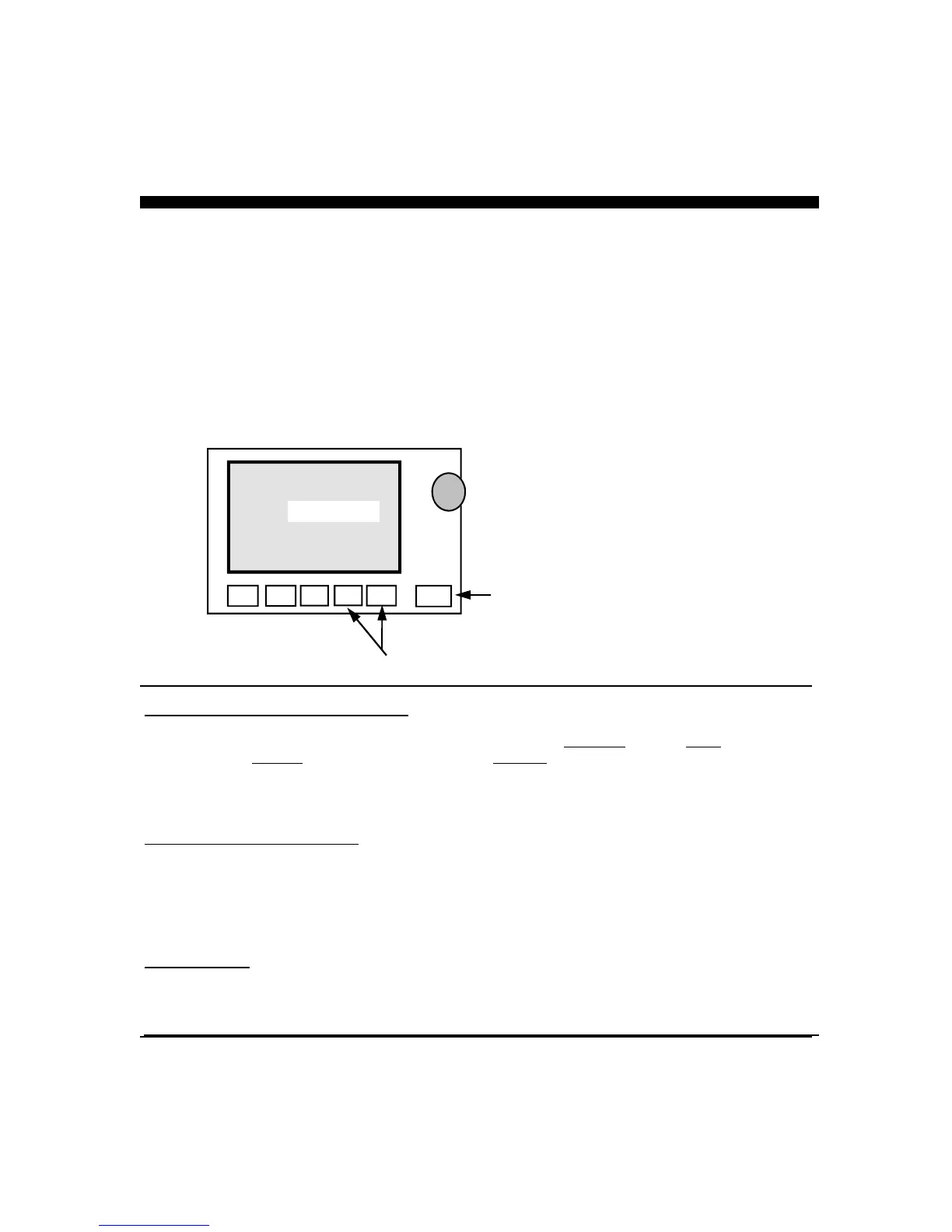
1. Press soft keys #4 and #5 and hold (as labeled in diagram below)
2. Press the #6 key.
The unit will turn on and beep three times, then release the keys. The units logo should appear in the display. This
will reset the unit to it’s ‘factory settings’, please refer to the set-up view portion in the Operations Manual if you
wish to choose a language, select units or modify the level/alignment.
#1
LCD Display
#2 #3 #4 #5 #6
Hold these keys as
power key turned on
Power Key



 To Next Page