All information, including pricing and specifications, subject to change without prior notice. Photographs are for illustration
purposes only & may vary from actual product. Invacare
®
, and Yes, you can., are trademarks of Invacare Corporation. ©
2008 Invacare Corporation.
5
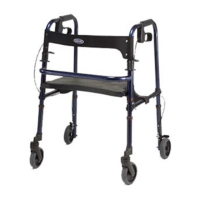
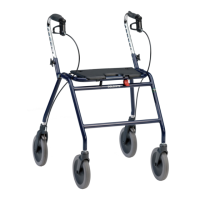
Figure 1: Assembled Rollator (continued)
1. Carefully remove the Basic Rollator and Backrest from the shipping carton. Refer
to diagram (Figure 1) as needed.
2. Examine all parts for shipping damage. DO NOT use the rollator if there is
apparent damage or if any parts are missing. If there are missing or damaged
parts, please call Invacare Customer Care toll free on 1800 460 460
(Australia) or 0508 468 222 (New Zealand).
3. To set up the rollator, hold one handlebar and push down on the seat (F) until
all four wheels are extended out and the seat is fully flat. Make sure that all four
wheels make contact with the floor and the rollator is stable in the open
position.
4. Insert the padded backrest bar (D) so that the padded portion faces the front of
the rollator. Slip the backrest bar into the brackets until the push buttons on the
bar lock into place.
5. Check to make sure all other nuts, bolts and screws are tightly fastened.
6. Check all of the wheels to see that they are in good working order and roll
freely.





 To Next Page
