EasyManua.ls Logo

inventum IKI9040 - User Manual

inventum IKI9040
80 pages
Go to English
Print Icon
To Next Page IconTo Next Page
Loading...
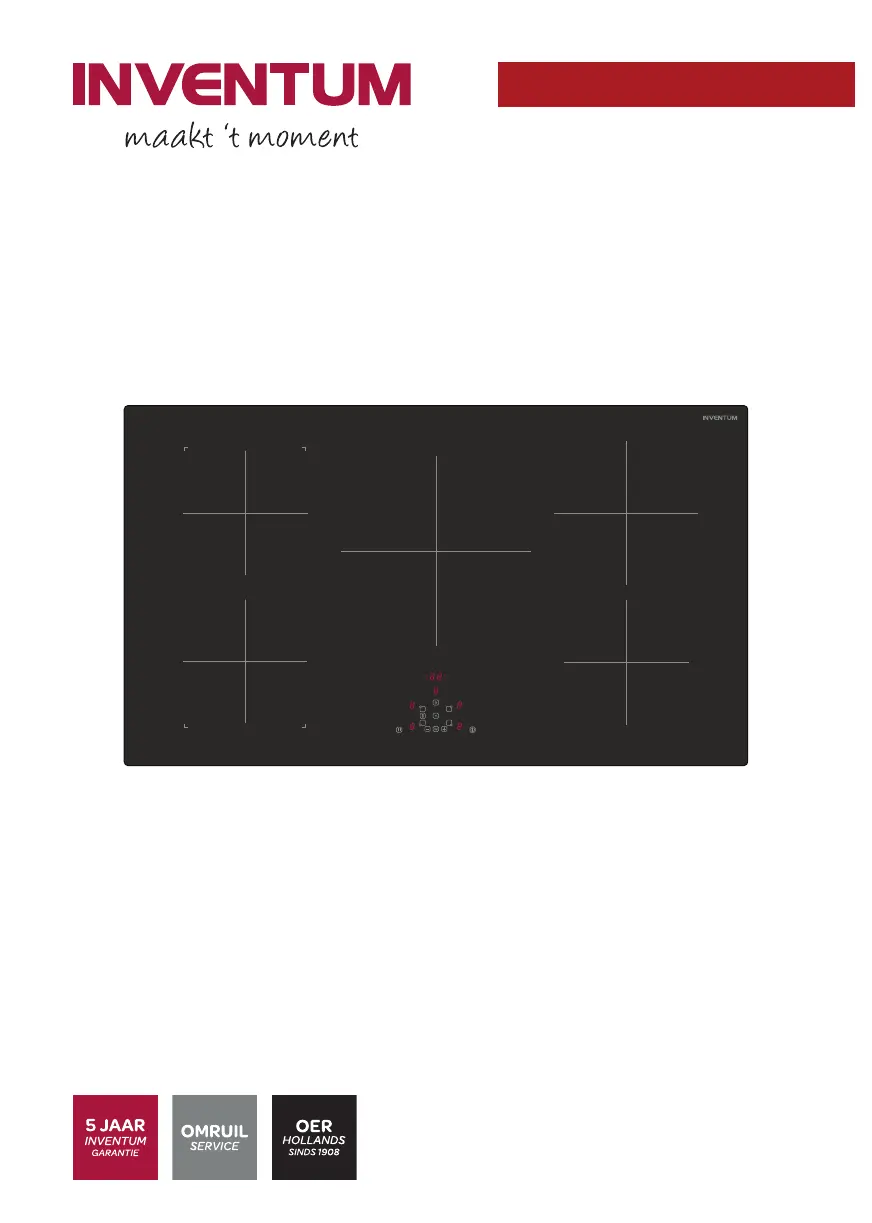
IKI9040
Inductiekookplaat
Induction hob
Induktionskochfeld
Table de cuisson à induction
Gebruikershandleiding
User manual
Benutzerhandbuch
Manuel d'utilisation
6-23
24-40
41-59
60-78
11 - 002 - 06.11.2019

Questions and Answers

  • M
    melissa31Aug 14, 2025
    Why does my inventum IKI9040 Hob not start?
    • B
      burnettbrandonAug 14, 2025
      If your Inventum Hob doesn't start, there might be a few reasons. First, ensure the mains plug is correctly connected to the socket and that the power supply is on. Another possibility is that the appliance is locked; if so, you'll need to unlock it. Lastly, check if the touch buttons are dirty, and if they are, clean the appliance.
  • M
    Michael BrownAug 17, 2025
    What to do if the Inventum Hob shows U on the control panel?
    • M
      Mario LopezAug 18, 2025
      If the operation indicator on your Inventum Hob control panel shows 'U', it could mean one of two things: either there's no pan on the cooking zone, or the pan you're using isn't suitable for induction cooking. To resolve this, place a pan on the cooking zone. If that doesn't work, make sure you're using a pan designed for induction appliances.
  • W
    william68Aug 21, 2025
    What does E2 / EH mean on my inventum IKI9040?
    • M
      Mitchell GomezAug 21, 2025
      If the Inventum Hob displays 'E2 / EH', it means the appliance has overheated. To fix this, let the hob cool down completely before using it again.
  • V
    Valerie MarshallAug 25, 2025
    What does error code Er03 mean on Inventum Hob?
    • S
      Stefanie CookAug 25, 2025
      If your Inventum Hob displays 'Er03', it indicates that the touch buttons are covered or blocked. Make sure to remove any blockage from the touch buttons.
  • R
    Rebecca BruceAug 27, 2025
    What does L mean on my inventum IKI9040 Hob?
    • S
      sanchezjacquelineAug 27, 2025
      If the operation indicator on the control panel of your Inventum Hob shows 'L', it means that the appliance is locked. You should unlock the appliance.
  • S
    Sydney FrankAug 31, 2025
    What does E3 mean on my inventum IKI9040?
    • S
      ssmithAug 31, 2025
      If your Inventum Hob displays 'E3', it means the pan you're using isn't suitable for induction cooking. To resolve this, use a pan that is specifically designed for induction appliances.
  • M
    Mark SinghSep 3, 2025
    What does error E8 mean on the inventum IKI9040 Hob?
    • K
      Kristen GrantSep 3, 2025
      If your Inventum Hob displays 'E8', it indicates that the ventilation opening of the fan is blocked. Clear the blockage to allow proper ventilation.
  • D
    Dr. Shannon PerrySep 6, 2025
    What does E5 mean on my inventum IKI9040 Hob?
    • S
      Stephanie GoldenSep 6, 2025
      If your Inventum Hob displays 'E5', it indicates a defect in the mains supply. Check the voltage of the mains supply.
  • R
    Rodney RichardSep 12, 2025
    What does error E6 mean on Inventum Hob?
    • J
      Jason StephensonSep 12, 2025
      If your Inventum Hob displays 'E6', it indicates a defect in the mains supply. You should check the frequency of the mains supply.

Summary

Installation Safety and Pan Usage

Installation Clearance Requirements

Diagrams detailing necessary space around the appliance for safe installation.

Installation Dimensions and Electrical Hookup

Appliance Dimensions and Clearances

Specific measurements required for installing the appliance, including cut-out and surrounding space.

Electrical Wiring Configurations

Diagrams illustrating the correct wiring for different electrical supply types.

Comprehensive Safety Guidelines

General Safety Precautions

Essential safety rules for using the appliance safely.

Installation and Operation Safety

Specific safety guidelines for installing and operating the induction hob.

Operational Safety: Child & Fire Hazards

Child Safety and Fire Hazards

Key safety measures to protect children and prevent fires during operation.

Hob Surface and Material Handling Safety

Safe Hob Surface Usage

Precautions for using the hob surface, avoiding misuse and damage.

Installation Preparation and Electrical Connection

Final Installation and Power Management

Basic Operation and Cooking Zone Use

Starting and Operating Cooking Zones

Instructions on how to start the appliance and use individual cooking zones.

Advanced Hob Operation Modes

Pause, Bridge, and Keep-Warm Modes

Detailed guides for using pause, bridge, and keep-warm functions.

Timer, Automatic Cooking, and Memory

Timer and Automatic Cooking

How to utilize the timer and automatic cooking modes for precise control.

Troubleshooting and Error Code Guide

Troubleshooting Common Issues

A table listing common problems, their causes, and solutions.

Understanding Breakdown Codes

Explanation of error codes displayed on the control panel.

Technical Specifications and Appliance Features

inventum IKI9040 Specifications

General IconGeneral
Brandinventum
ModelIKI9040
CategoryHob
LanguageEnglish

Related product manuals