EasyManua.ls Logo

Invertek Drives Eco Optidrive ODV-3-220043-1F12-SN - User Manual

Invertek Drives Eco Optidrive ODV-3-220043-1F12-SN
77 pages
Print Icon
To Next Page IconTo Next Page
Loading...
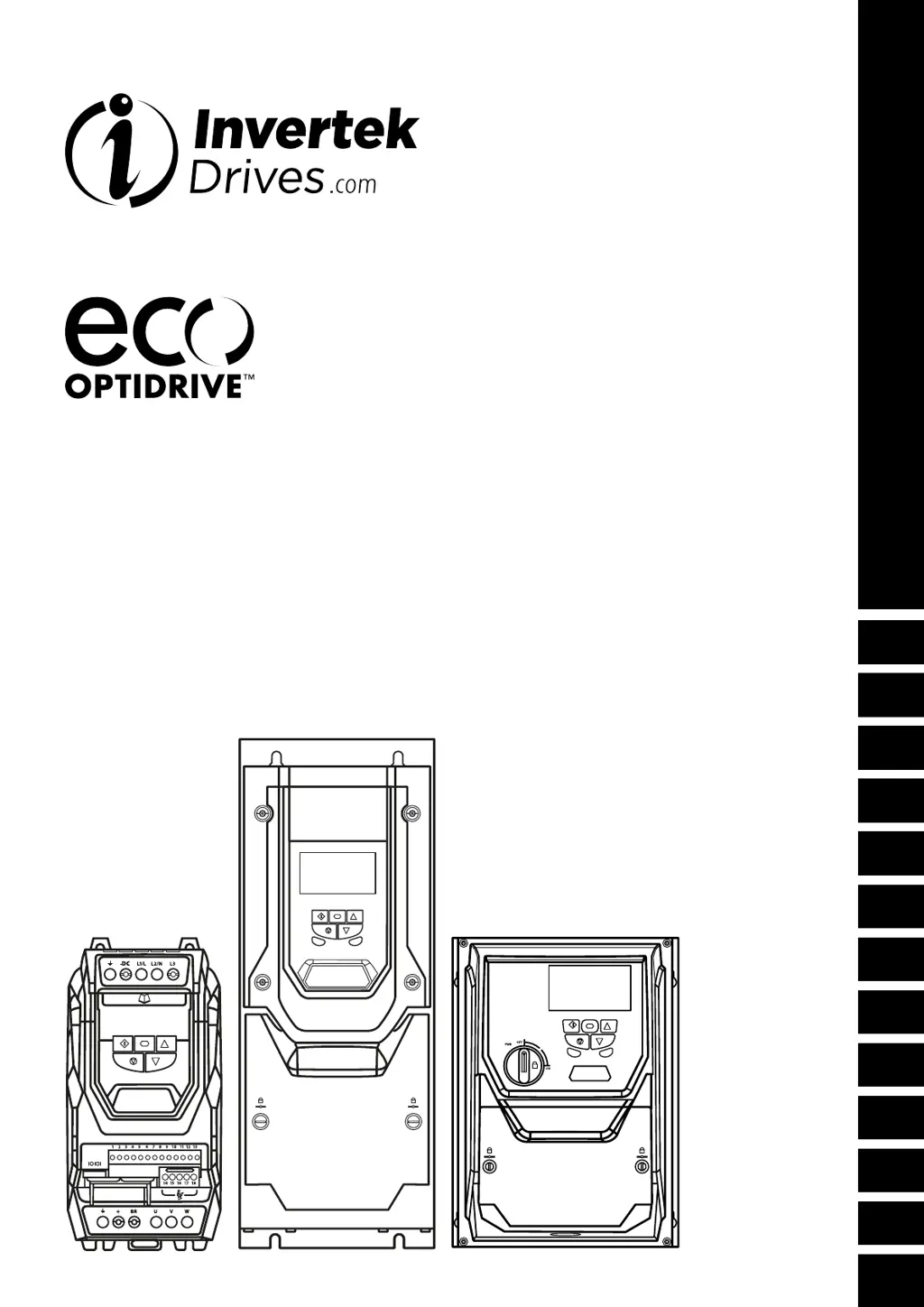
User Guide
AC Variable Speed Drive
0.75 - 250kW / 1 - 350HP
200-600V Single and 3 Phase Input
General Information
and Ratings
Introduction
Mechanical Installation
Electrical Installation
LED Keypad and Display Operation
Commissioning
Parameters
Extended
Parameters
Serial
Communications
Control Terminal
Functions
Technical Data
Troubleshooting
2
1
3
4
5
6
7
8
9
10
11
12

Table of Contents

Questions and Answers

Summary

Introduction and Safety

Important Safety Information

Critical safety warnings, hazards, and precautions for installation and operation of the Optidrive.

Mechanical Installation

Electrical Installation

Power Connection Diagram

Schematic illustrating the electrical power connections for the Optidrive.

Protective Earth Connection

Guidelines for proper grounding, conductor sizing, and shield termination.

EMC Compliant Installation

Recommended practices for achieving EMC compliance, including cable routing.

Incoming Power Connection

Details on connecting the incoming power supply, fuses, and circuit breakers.

Drive and Motor Connection

Guidance on connecting the drive output to the motor, including cable types.

Motor Thermal Overload Protection

Explanation of the drive's built-in motor thermal overload protection.

Control Terminal Wiring

Details on wiring digital and analog inputs/outputs and control signals.

Safe Torque Off (STO)

Description of the STO safety function, its standards, and responsibilities.

STO Operation and Testing

Procedures for enabling, operating, and testing the Safe Torque Off function.

Keypad and Display Operation

OLED Keypad and Display Layout

Overview of the keypad buttons and display elements for operation and configuration.

Changing Parameters

Step-by-step guide on how to navigate and modify drive parameters.

Commissioning

General Commissioning Guidelines

General procedures and considerations for commissioning the Optidrive Eco.

Entering Motor Nameplate Information

Details on inputting motor rated voltage, current, frequency, and speed.

Parameters

Parameter Set Overview

Structure of parameter groups and how to access advanced settings.

Basic Parameters (Group 1)

Core operational parameters including frequency limits, ramp times, and motor data.

Digital Input Configuration (P1-13)

Configuration options for the drive's digital input terminals.

Extended Parameters (Group 2)

Parameters for preset speeds, output functions, and analog signal scaling.

Serial Communications

Technical Data

Troubleshooting

Fault Messages and Corrections

List of common fault codes, their descriptions, and corrective actions.

Summary

Introduction and Safety

Important Safety Information

Critical safety warnings, hazards, and precautions for installation and operation of the Optidrive.

Mechanical Installation

Electrical Installation

Power Connection Diagram

Schematic illustrating the electrical power connections for the Optidrive.

Protective Earth Connection

Guidelines for proper grounding, conductor sizing, and shield termination.

EMC Compliant Installation

Recommended practices for achieving EMC compliance, including cable routing.

Incoming Power Connection

Details on connecting the incoming power supply, fuses, and circuit breakers.

Drive and Motor Connection

Guidance on connecting the drive output to the motor, including cable types.

Motor Thermal Overload Protection

Explanation of the drive's built-in motor thermal overload protection.

Control Terminal Wiring

Details on wiring digital and analog inputs/outputs and control signals.

Safe Torque Off (STO)

Description of the STO safety function, its standards, and responsibilities.

STO Operation and Testing

Procedures for enabling, operating, and testing the Safe Torque Off function.

Keypad and Display Operation

OLED Keypad and Display Layout

Overview of the keypad buttons and display elements for operation and configuration.

Changing Parameters

Step-by-step guide on how to navigate and modify drive parameters.

Commissioning

General Commissioning Guidelines

General procedures and considerations for commissioning the Optidrive Eco.

Entering Motor Nameplate Information

Details on inputting motor rated voltage, current, frequency, and speed.

Parameters

Parameter Set Overview

Structure of parameter groups and how to access advanced settings.

Basic Parameters (Group 1)

Core operational parameters including frequency limits, ramp times, and motor data.

Digital Input Configuration (P1-13)

Configuration options for the drive's digital input terminals.

Extended Parameters (Group 2)

Parameters for preset speeds, output functions, and analog signal scaling.

Serial Communications

Technical Data

Troubleshooting

Fault Messages and Corrections

List of common fault codes, their descriptions, and corrective actions.

Invertek Drives Eco Optidrive ODV-3-220043-1F12-SN Specifications

General IconGeneral
Frequency Range0-500Hz
Communication PortsModbus RTU
Enclosure RatingIP20
Humidity95% non-condensing
Control MethodV/F control, Sensorless Vector Control
Protection FeaturesOver Voltage, Over Current, Overload, Short Circuit
Cooling MethodFan
Operating Temperature-10°C to 50°C
Storage Temperature-20 to 70°C (-4 to 158°F)

Related product manuals