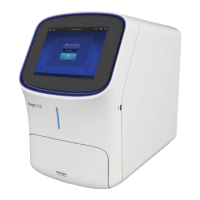
Start, sign on, and configure the
instrument
Create an instrument profile
1.
Touch
to sign in to your instrument user account.
2.
Touch Get started.
3.
Touch Create a Profile.
4.
Enter a Screen name.
5.
Enter and confirm a four-digit pin.
6.
Touch Create profile.
7.
(Optional) If you want to link your instrument to your Connect account, see “Link to Connect using
an existing instrument account” on page11.
Create an instrument account and link to Connect
using a cloud account
1.
Touch to sign in to your instrument user account.
2.
Touch Get Started.
3.
Click on Connect.
4.
Link your account using one of these methods:
•
Mobile device — Connect using a QR generated by the instrument and scanned by the
instrument Connect mobile app.
•
PC — Connect using a link code that is entered into the instrument Connect app or your
online Connect account.
•
Instrument — Enter your Connect account information directly on the instrument.
2
iBright
™
Imaging Systems User Guide
9


 To Next Page