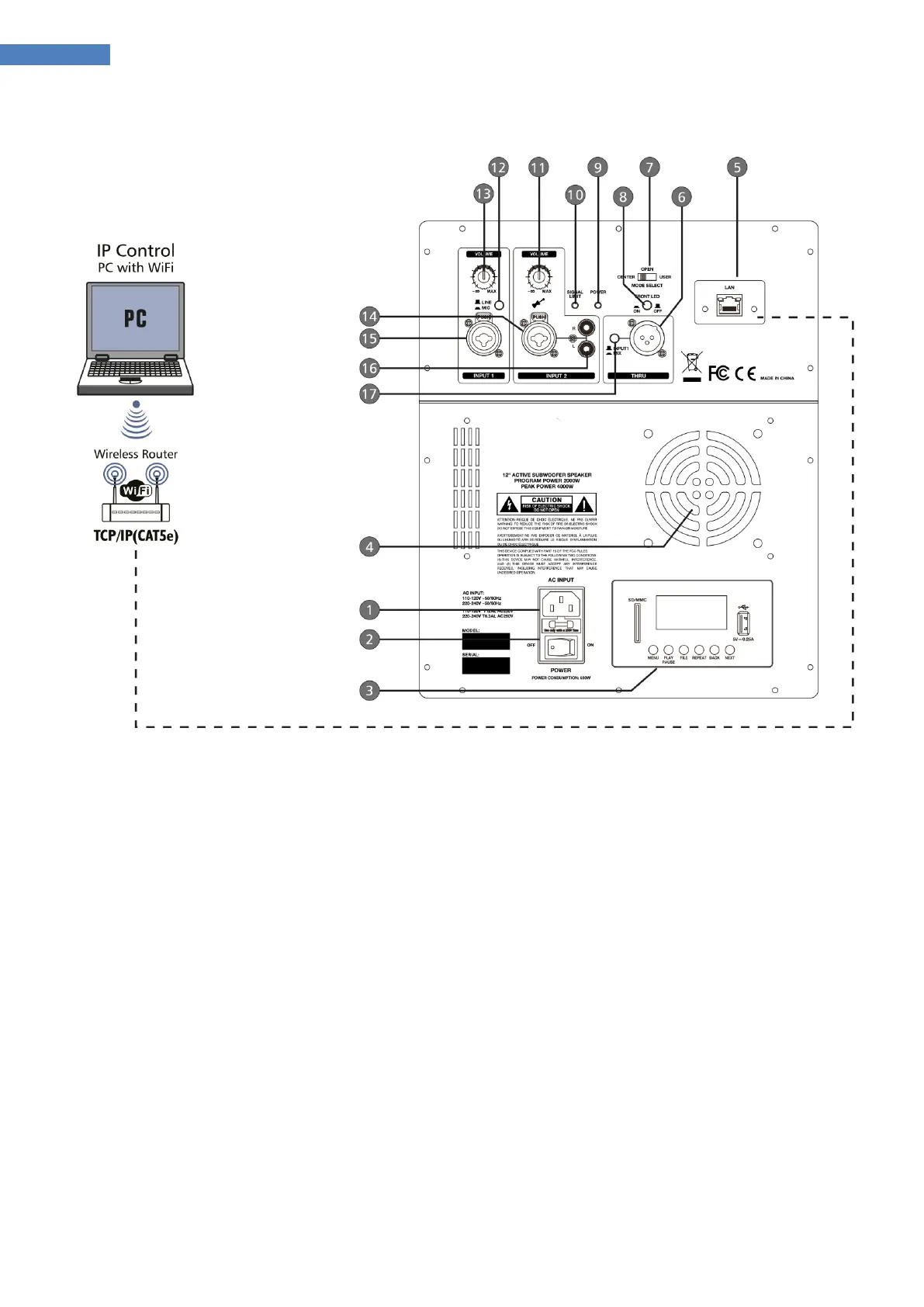
Part 3: Connections, operating and display elements:
1. Mains connection - Insert the mains cable here.
2. Power switch
3. USB/SD-Player, BLUETOOTH®
4. Fan
5. RJ45-Socket ETHERNET
6. THRU-Out - For connecting the amplifier of a monitor system or for active speakers or recording
devices.
7. Setting the sound picture – CENTER: Both column elements are aligned straight.
OPEN: Both column elements are each oriented 45 ° to the left and right
8. Switch for front LED
9. Indicator ON - Lights up when the device is connected to the mains and switched on.
10. Indicator LIMIT - Lights when the signal level is too high and the level limit is lowered to
protect the speakers.


 To Next Page