1
2
3
4
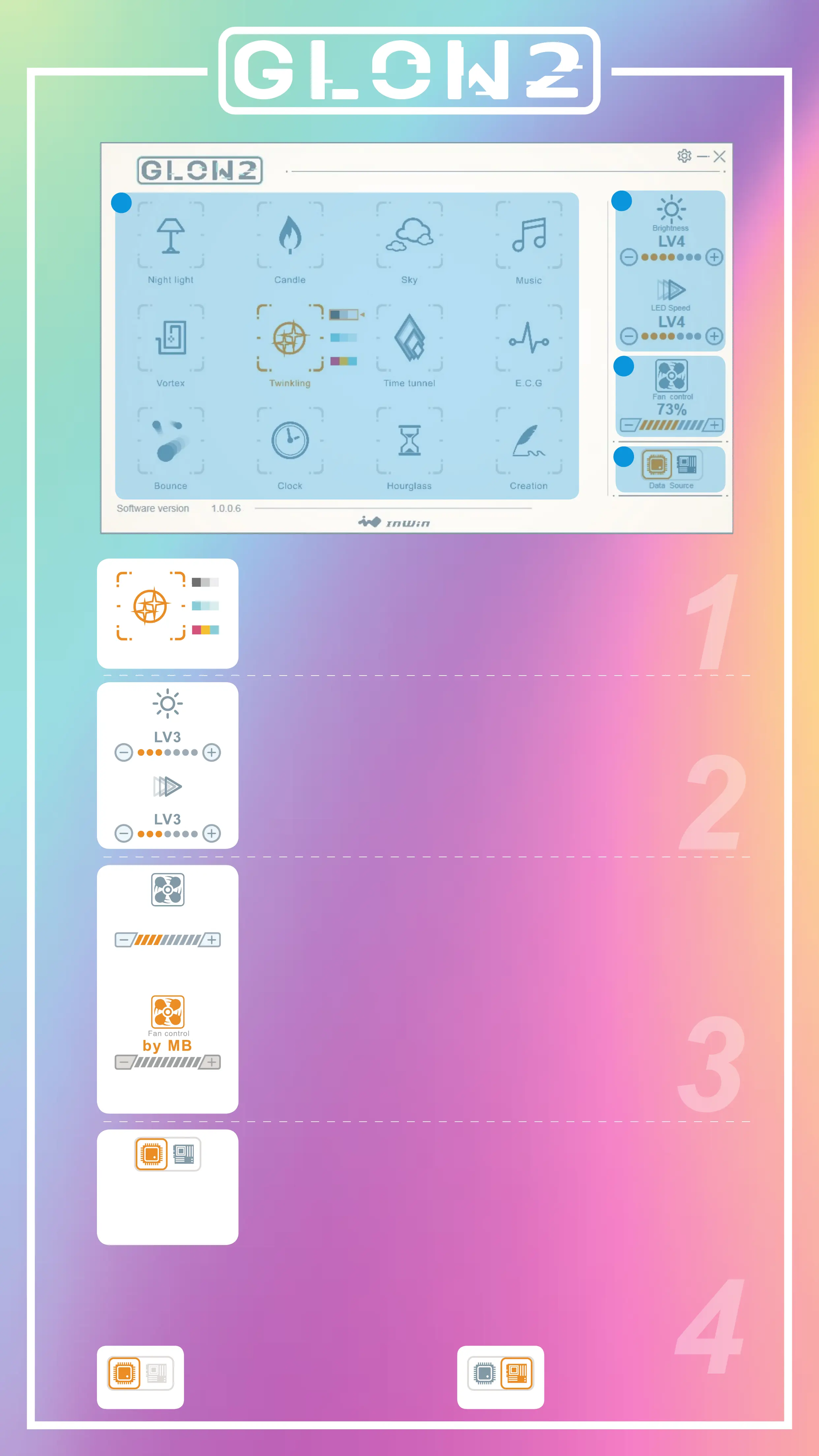
Colors
Each mode provides up to 3 colors to choose from.
Lights & Speed
Control lights and speed by + and - buttons,
there have 7 levels.
Fan Output
Control the EGO fans’ speed by pressing the + and
- buttons. There are 10 fan speed levels up to Turbo
mode. If the 4-pin fan connector is connected with
the motherboard, you can easily click the fan icon
on the GLOW2 software to adjust the control mode.
*
Note: The fan control will not work on the GLOW2
software if the motherboard software is running.
Motherboard or GLOW2 software options
Control the lighting effects with an ARGB enabled
motherboard. If your motherboard doesn’t have an
addressable header (3-pin, 5V), you can control the
lighting by downloading the GLOW2 software.
*
Note: The 309 and EGO fans use a lot of LEDs and some
motherboards may not be able to handle the number of
LEDs. Please use the GLOW2 software if the lighting isn’t
functioning properly.
Twinklin g
Brightness
LED Spee d
Fan control
55 %
EGO fans controlled
by motherboard
EGO fans controlled
by GLOW2
Addressable RGB header isn’t
properly connected to the
motherboard.
Data Source
The lighting effects
are controlled by
GLOW2 software
The lighting is controlled by
the motherboard software.
Data Source
Data Source



 To Next Page