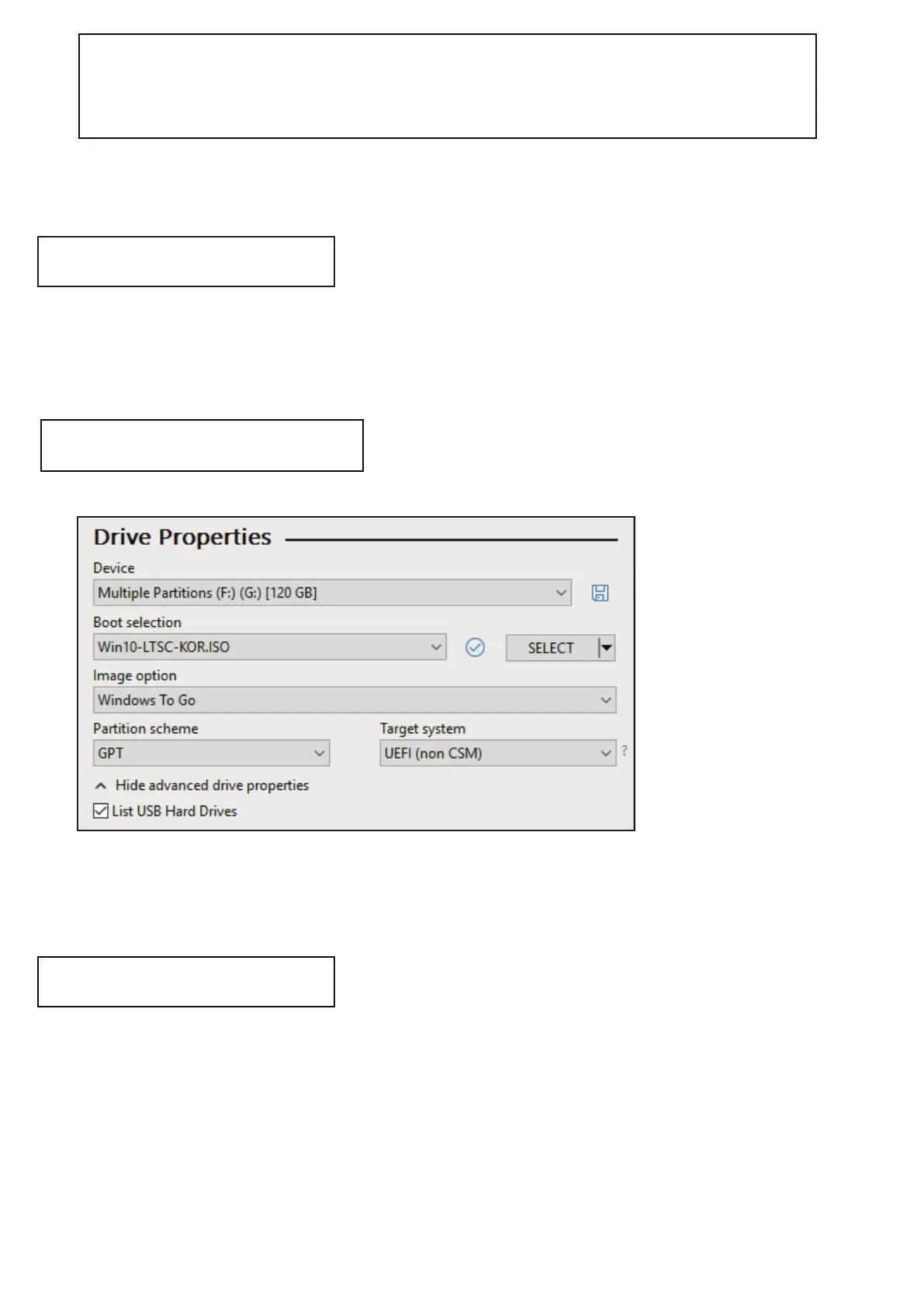
RUFUS Setting
Bootcamp for MAC OSX
● The WTG and encryption features of the IODD MINI
make it possible to boot securely even on MACs.
● With your Mac turned off, connect the Ipod Mini and press
the power button while holding down the [option] key to select
a boot disk. Choose the yellow UEFI disk
[Press and hold the Control key when first installing]
● Install the bootcamp support driver.
● External USB or VHD file for boot camp driver
-Download the driver from the boot camp control panel.
● VHD file for boot camp installation (fixed recommended)
● The default settings are the same as for UEFI boot.
Select [USB Hard Drive List] in [Advanced Drive Properties].
Select the target VHD drive (fixed) to install on the device.
Set the partition type to [GPT] and the target system to [UEFI].
Preparations
After work


 To Next Page