VHD file usage and precautions
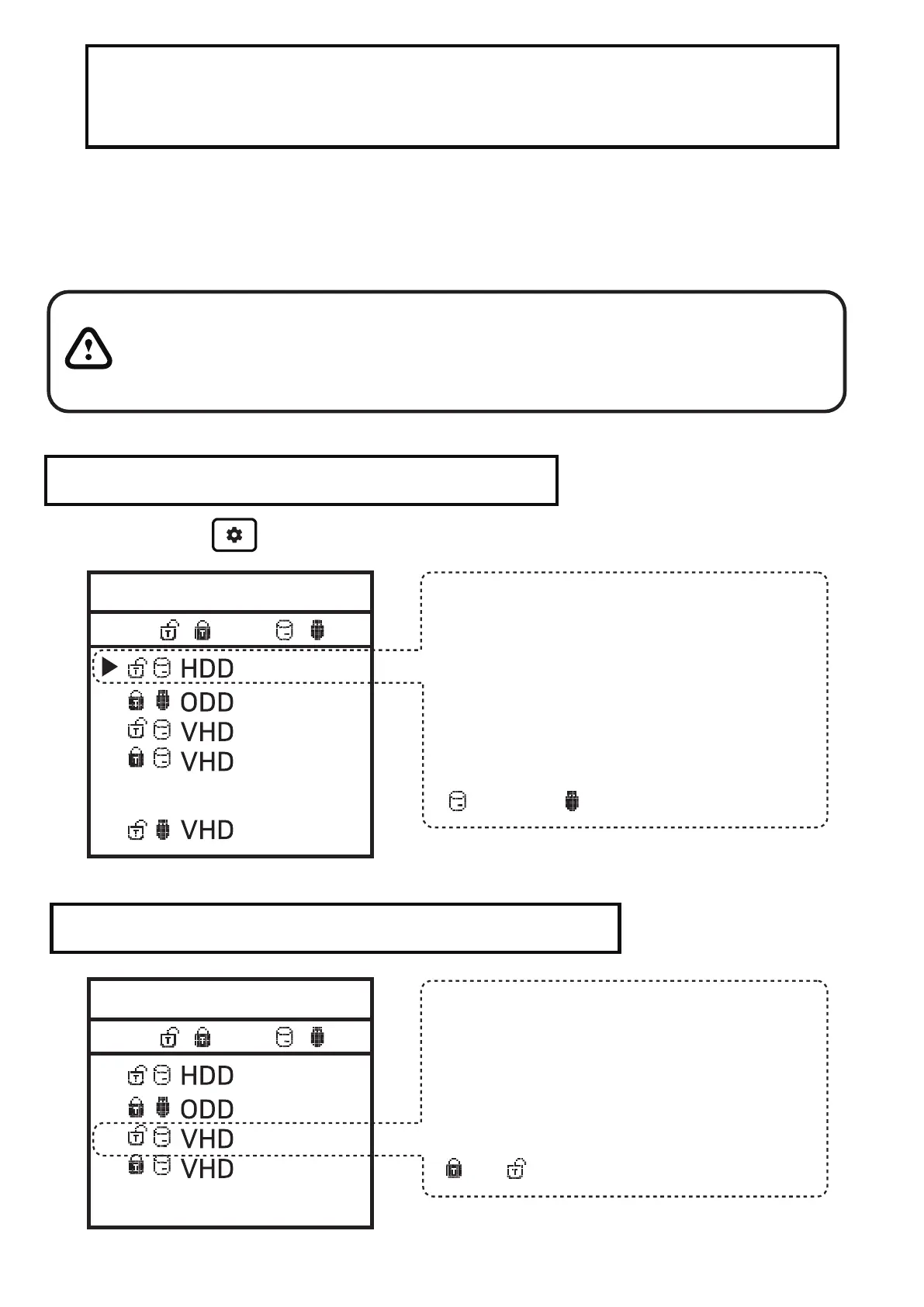
Fixed / removable change
Press the button and select the [MODE Select] item.
● VHD files can use various settings.
● You can change the properties of the VHD file at any time
with the [Mode Manager] menu.
Never delete a VHD file that is in use (mounted) or change
its file location, as this may cause a fatal error in the SSD.
and Unschedule the disk defragmentation of iodd mini
Mode select
Write Protection On/Off
//
5 - ,6-
-------- Disable -------
Button 6 on the selected device (▶).
The device can be changed to
removable or fixed.
Removable: Recognized as removable
disk by the host
Fixed: Recognized as external HDD
Fixed Removable
Mode select
//
5 - ,6-
-------- Disable -------
In the selected device (▶),
use button 5 to set the device to
write protection On/Off
This option can be checked by the
lock status.
On OFF


 To Next Page