Bootable VHD Creat
RUFUS Download and Run
● The RUFUS * utility can be used to create UEFI bootable
VHD files or Windows-to-go disks.
● You can boot Only support UEFI system
● The VHD file must be set as the [removable] disk
● Download Site(Official)
https://rufus.ie/
● After installation, run as administrator
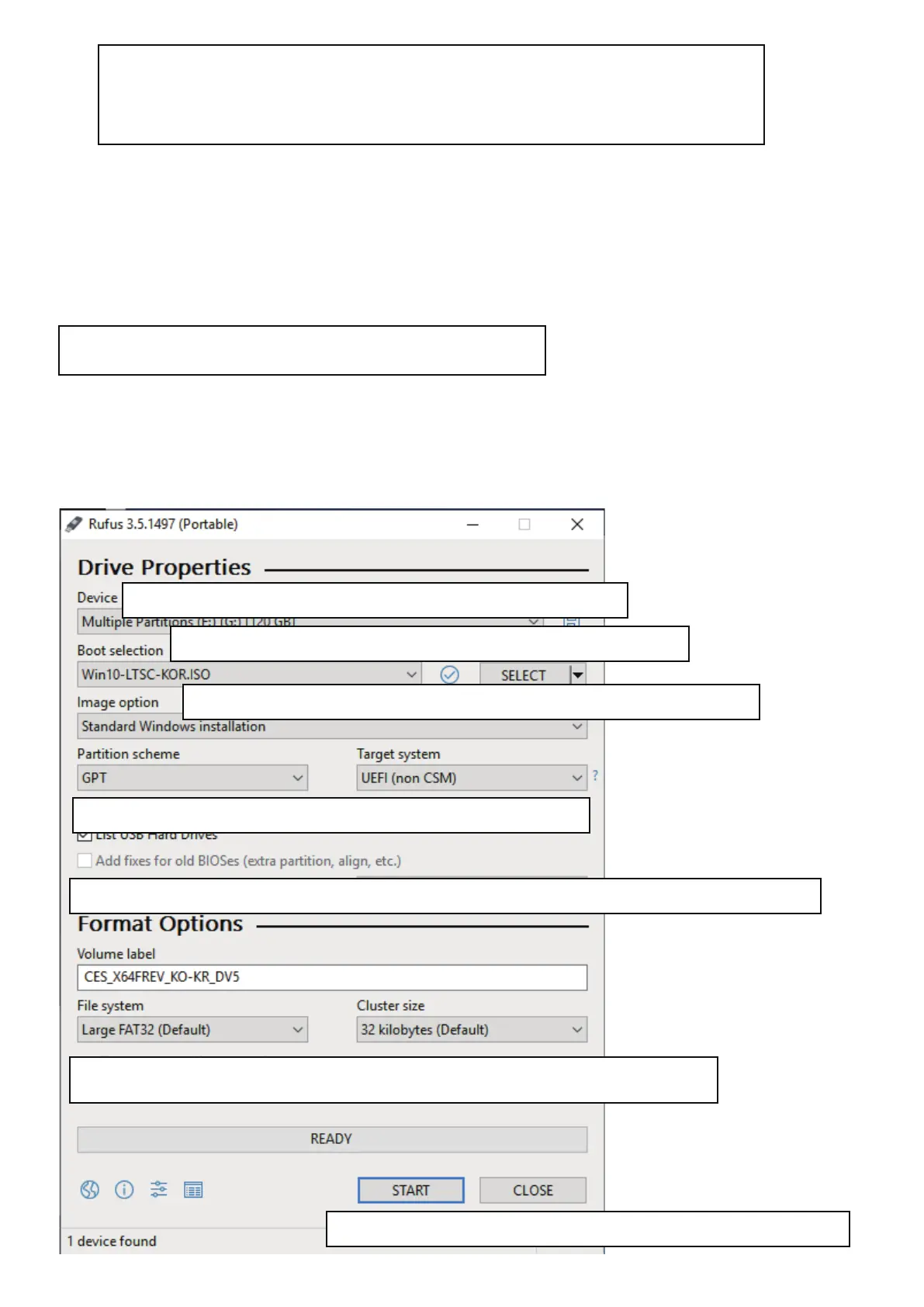
1. Select the mounted VHD drive in [Device] Item.
3. image Options, select Standard Installation or Win-to-Go
4.Partition scheme set GPT / Target system to UEFI.
5. For Win-To-Go installations, MBR / BIOS (or UEFI-CSM) be more compatible.
6.Recommends default values for file systems and Cluster size
7. Press the start button and the boot file is created.
2. Select the original ISO file from the boot selection.


 To Next Page