14
Initial Bluetooth™ Configuration Wizard
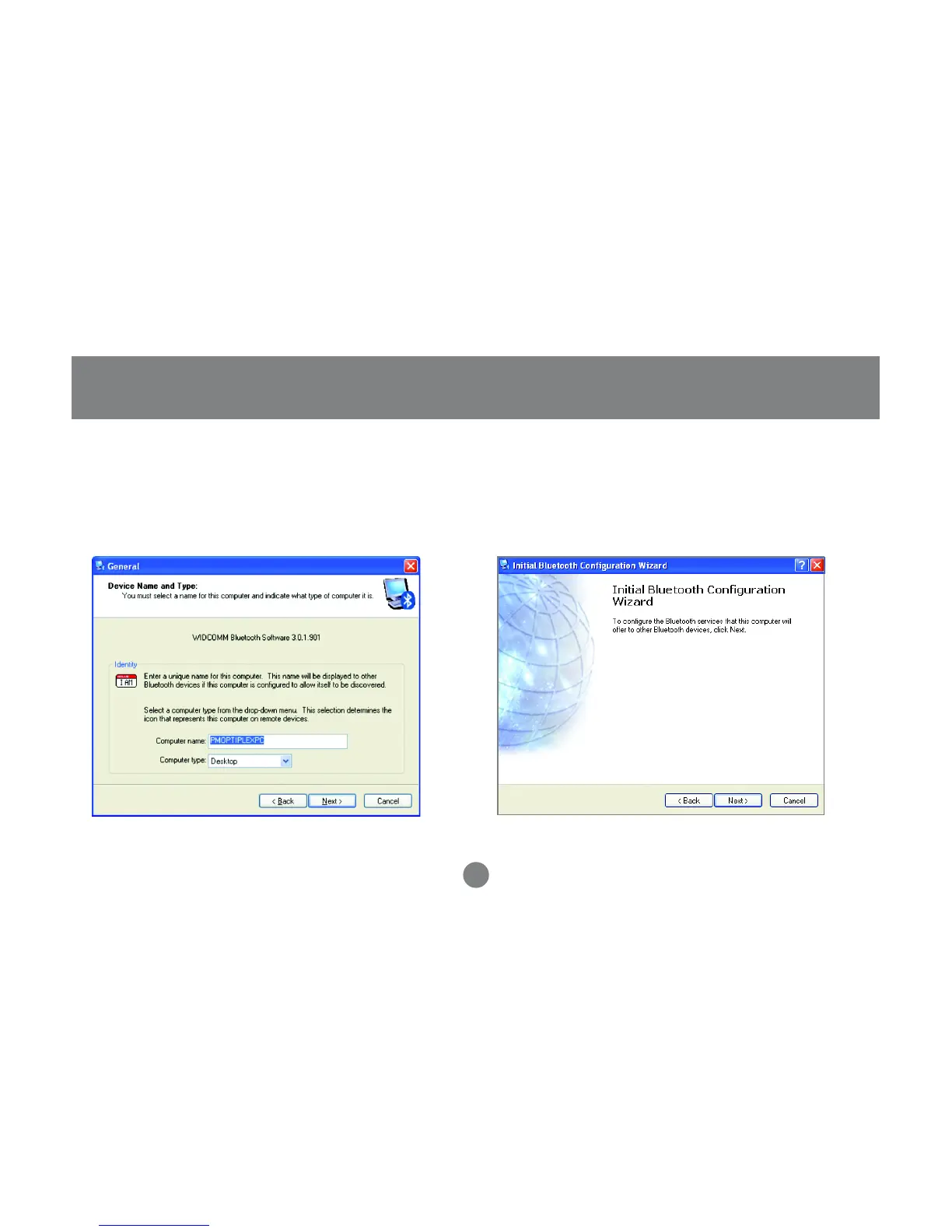
Next, enter a unique name for this computer.
This name will be displayed to other
Bluetooth™ devices. Select a computer type
from the drop-down menu and click [Next].
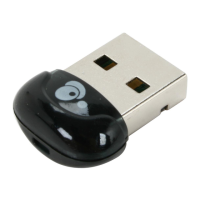
3. Click next to configure the services this
computer will offer to other Bluetooth™
devices.
4.



 To Next Page