17
9.
Initial Bluetooth™ Configuration Wizard
Next, the window will display the services
available through the selected Bluetooth™
device. Check the box next to the service you
want to access.
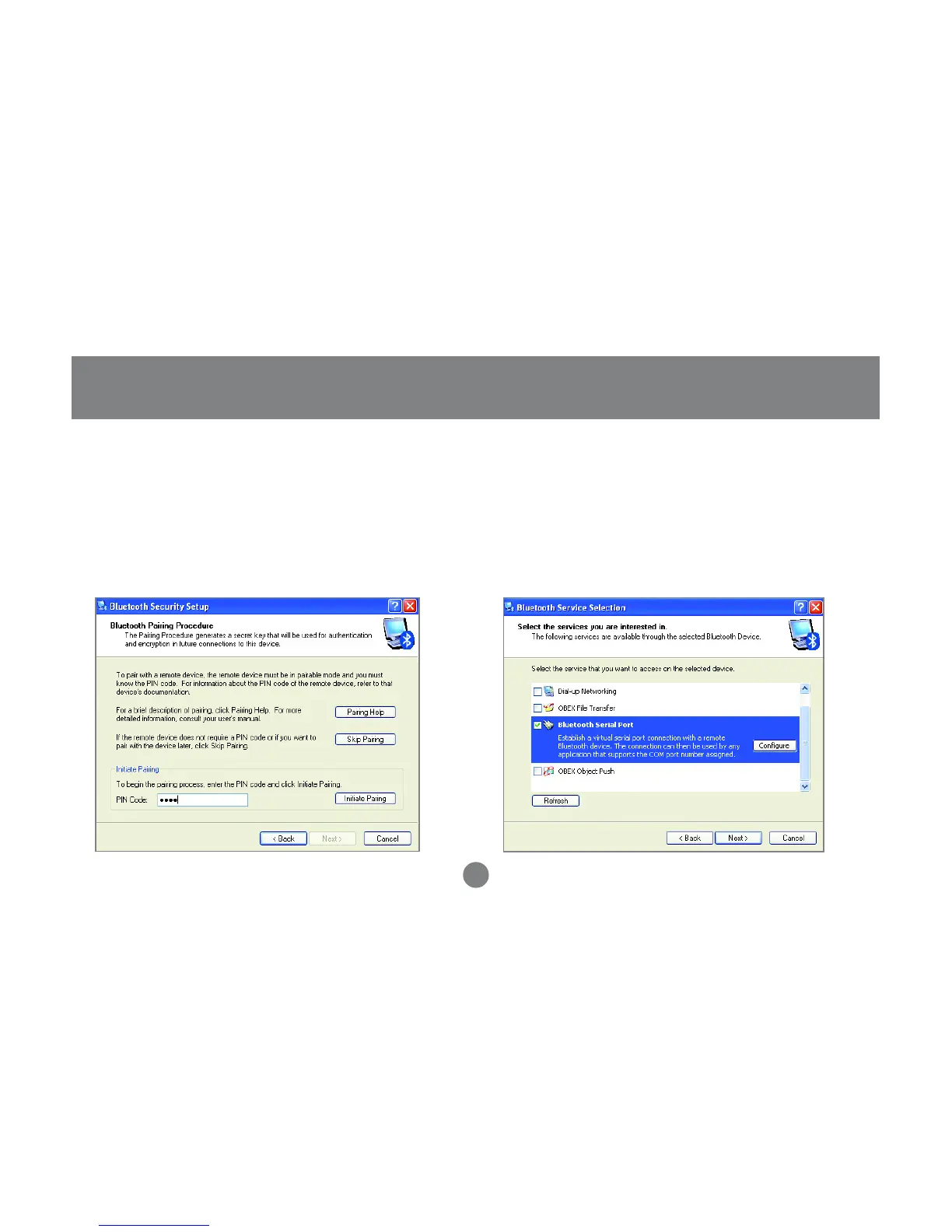
10.Next you will need to Pair your computer with the
device you wish to connect to.
Enter a PIN code for the device and click the
[Initiate Pairing] button. If the device you are
connecting to does not require a PIN click the
[Skip Pairing] button.



 To Next Page