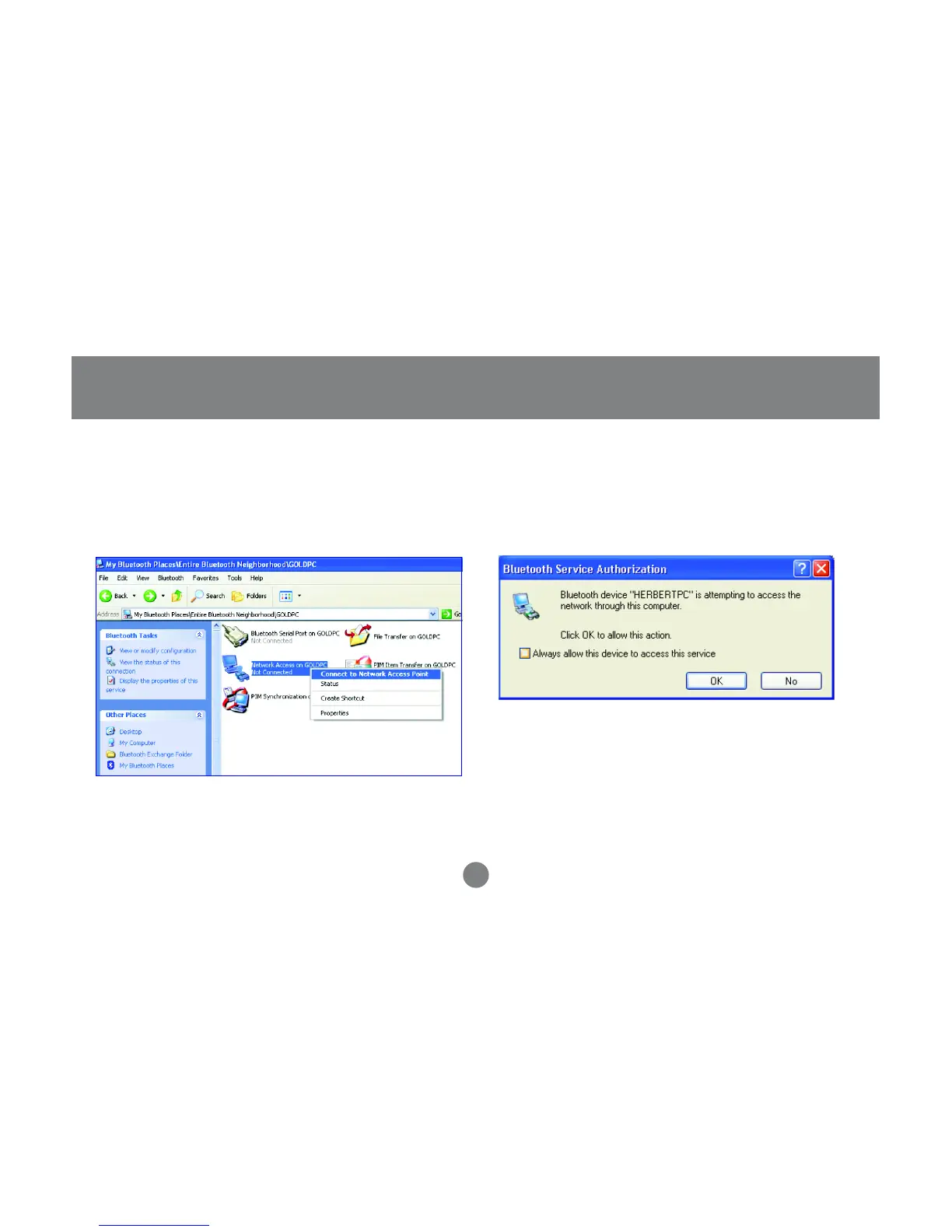
Double click on the device to display a list of its
services. To establish a network connection,
right click on Network Access and select Connect
to Network Access Point.
3.
Operation
When the connection is being established, you will
be prompted to accept/deny the connection on your
other computer. To allow access, click OK.
4.
33



 To Next Page