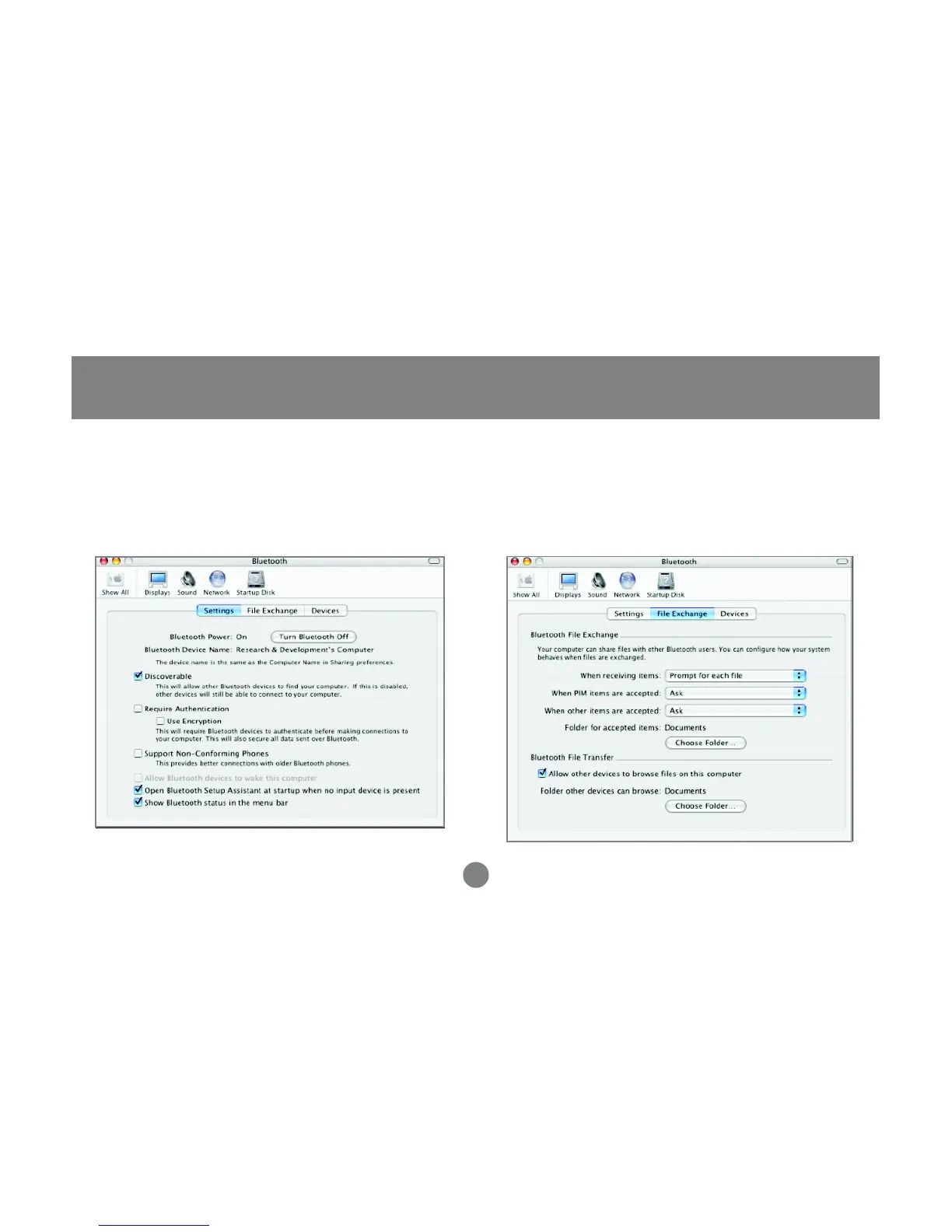
3. Under the settings tab, make sure that the
Bluetooth device is set to “discoverable” and
change any other settings according to your
preference.
4. On the File Exchange tab, you may customize
how you want to share files with other Bluetooth
devices and give the proper permissions.
Operation
41



 To Next Page