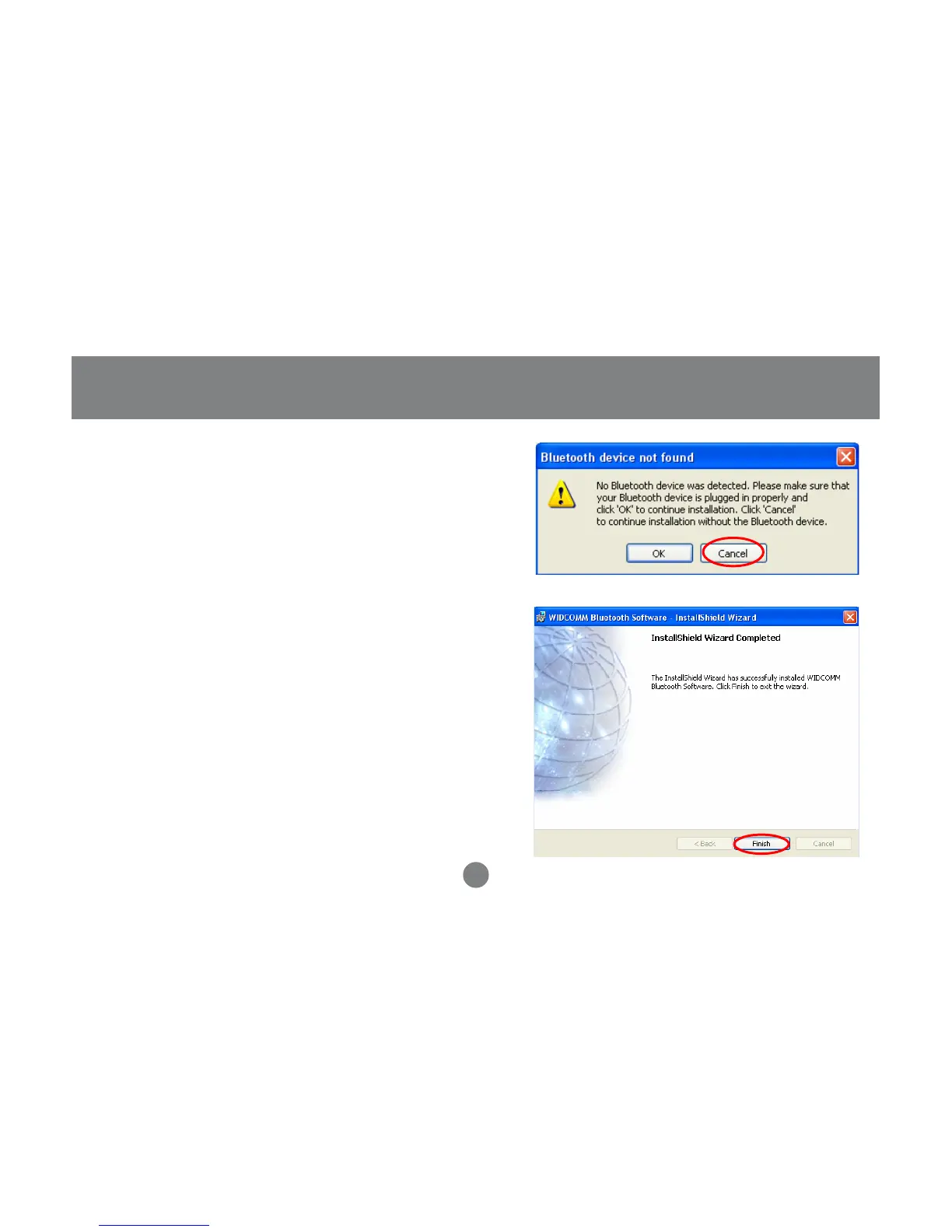
5. Once the driver installation has completed, click
Finish and RESTART your computer
6. After restarting the computer, proceed to plug in
the Bluetooth USB Adapter, and wait a few
seconds while Windows recognizes the device.
11
Installation-Windows
4. During the install, a “Bluetooth Device not
Found” window will appear. DO NOT plug
in the Bluetooth adapter at this time,
simply click Cancel to proceed with the
driver installation without connecting the
Bluetooth device.



 To Next Page