Installation-Mac OS X
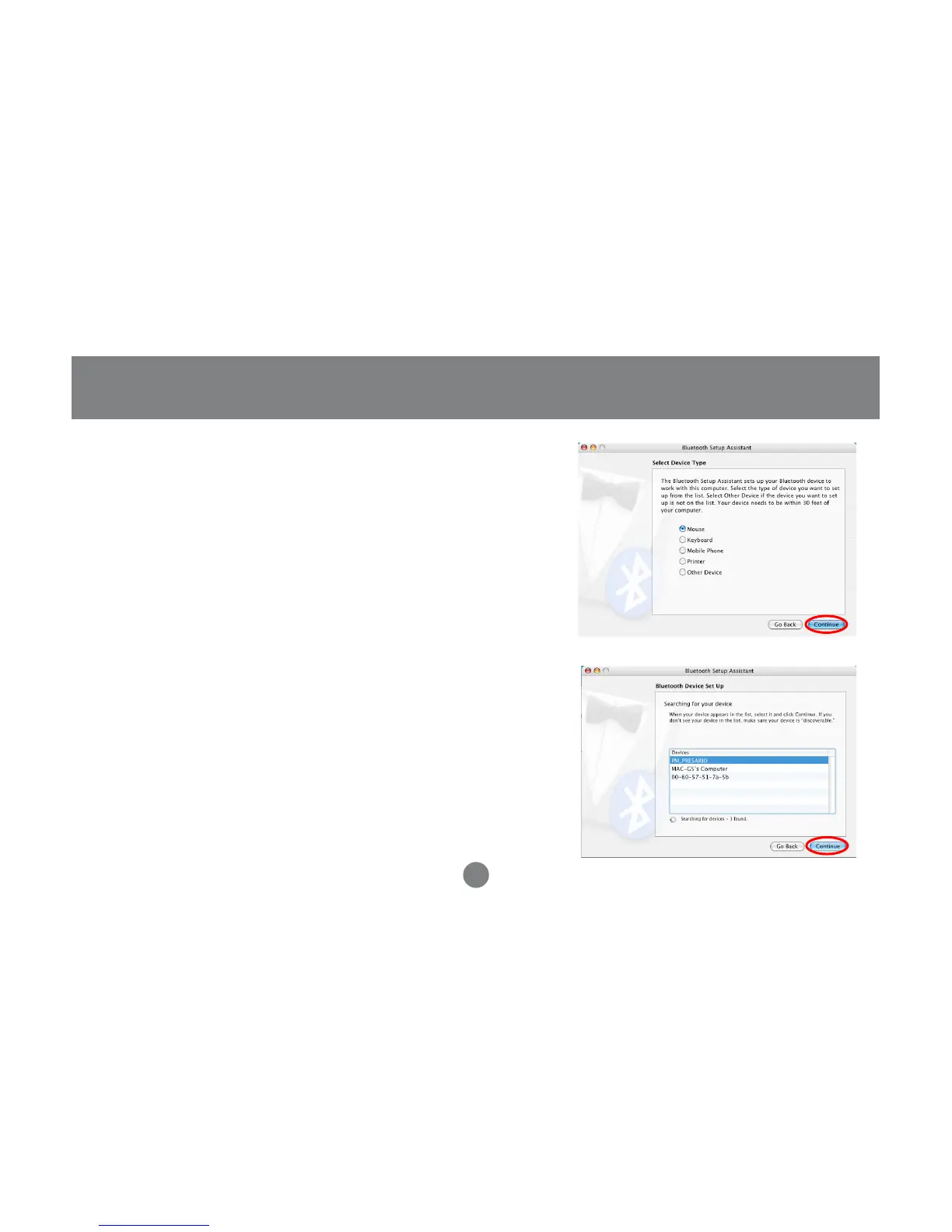
5. On this window, you can select what type of
Bluetooth device you want to setup. Please
make your choice below and then click Continue.
6. Your computer will search Bluetooth devices in
your area and display them under the window
below. Select the device you wish to communicate
with and then click Continue to pair/connect to
your device.
20
7. Please refer to the Apple website for further
information on Apple Bluetooth support at
www.apple.com.



 To Next Page