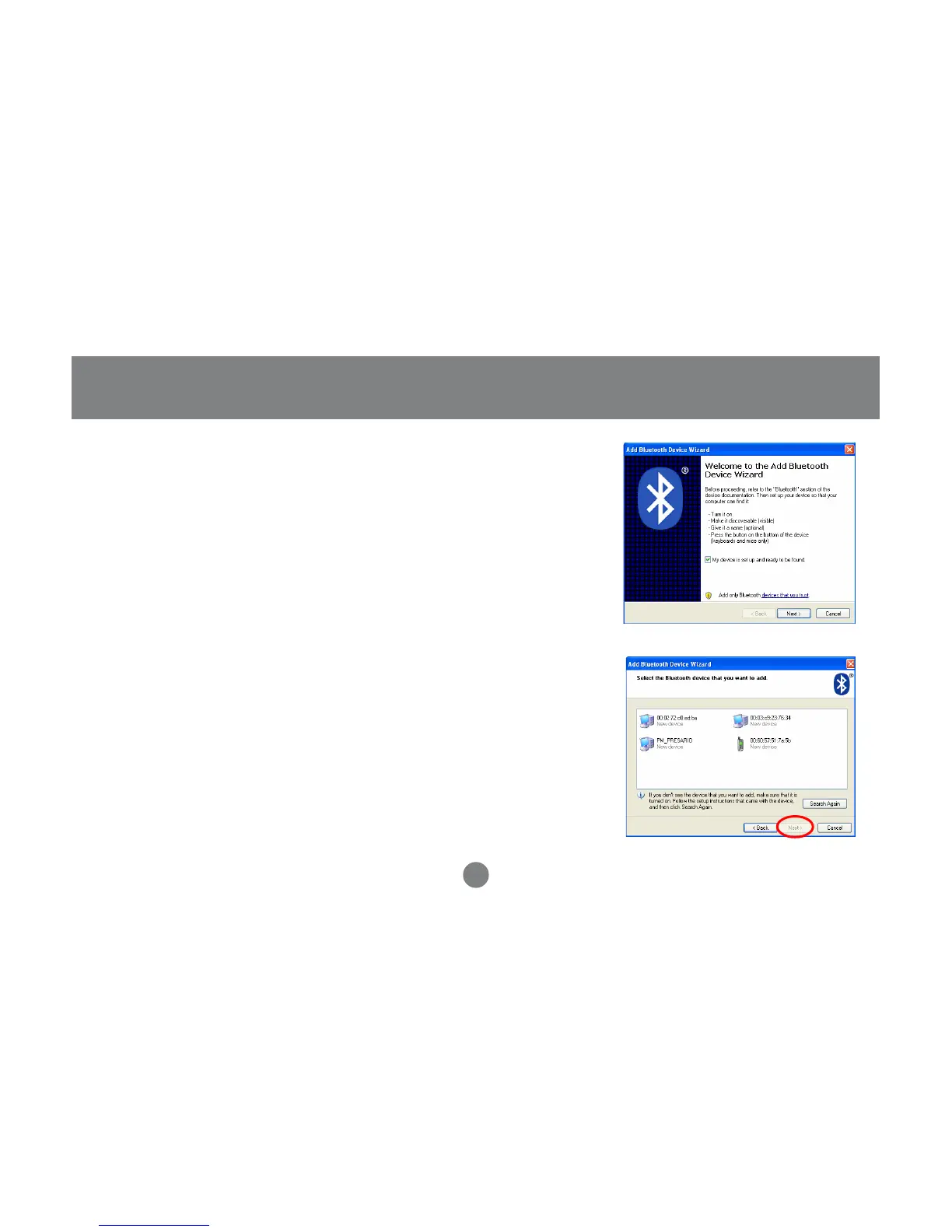
5. Make sure to set your Bluetooth device in
“discoverable” mode and check the box as
shown on the picture.
6. Your computer will search for all the Bluetooth
devices in your area and list them. Select the
desired device, and click Next.
35
Microsoft Bluetooth Stack



 To Next Page