5
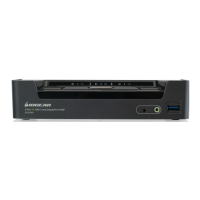
• 2 (GCS1932) or 4 (GCS1934)-Port DisplayPort KVMP Switch with USB 3.1 Gen1 hub
and 2.1 surround sound audio
• One USB console controls two (GCS1932) or four (GCS1934) computers and two USB
3.0 peripherals
• Computer selection via front panel pushbuttons, hotkeys, and mouse
1
• Independent switching of KVM, USB, and Audio focus
• Superior 4K video quality – 4096x2160 @60Hz
• 2-Port USB 3.1 Gen1 Hub with SuperSpeed 5Gbps transfer rate
• DisplayPort 1.2 compliant, HDCP compliant
• Supports HD audio through DisplayPort
2
• Full bass response for high quality 2.1 channel surround sound systems
• Power On Detection – if a computer is powered OFF, GCS1932/1934 automatically
switches to the next powered ON computer
• MST (Multi-Stream Transport) allows multiple monitors through a single
DisplayPort connector
3
• Dual-Mode DisplayPort (DP++) supports HDMI and DVI output with an adapter
4
• Hot pluggable – add or remove computers without turning GCS1932/1934 power OFF
• Mouse emulation or bypass feature supports most mouse drivers and multifunction mice
• Multi-platform support –Windows
®
7, Windows
®
8.1, Windows
®
10, Mac
®
, and Linux
®
• Multilingual keyboard mapping supports English, Japanese, French, and
German keyboards
• Mac
®
keyboard support and emulation
5
• Auto Scan Mode feature to monitor all computers
• Firmware upgradeable
Note:
1. Mouse port switching supported by mouse emulation mode using a USB 3-button
mouse wheel.
2. HD audio through DisplayPort cannot be switched independently.
3. MST requires two monitors capable of DisplayPort 1.2 daisy chaining, or use of a powered
DisplayPort MST Hub. PC Source must be DisplayPort 1.2 compliant. A DisplayPort 1.1a
monitor can be the last monitor in a DisplayPort 1.2 chain
4. DP++ active adapters are recommended if you are unsure of the video source’s
DP++ compatibility.
5. PC keyboard combinations emulate Mac
®
keyboards. Mac
®
keyboards only work using
their own Operating System.
Features



 To Next Page