6. Make sure you are grounded with a static ground-
ing strap (Included with a new logic board, DO NOT
remove the new logic board from the packaging
).
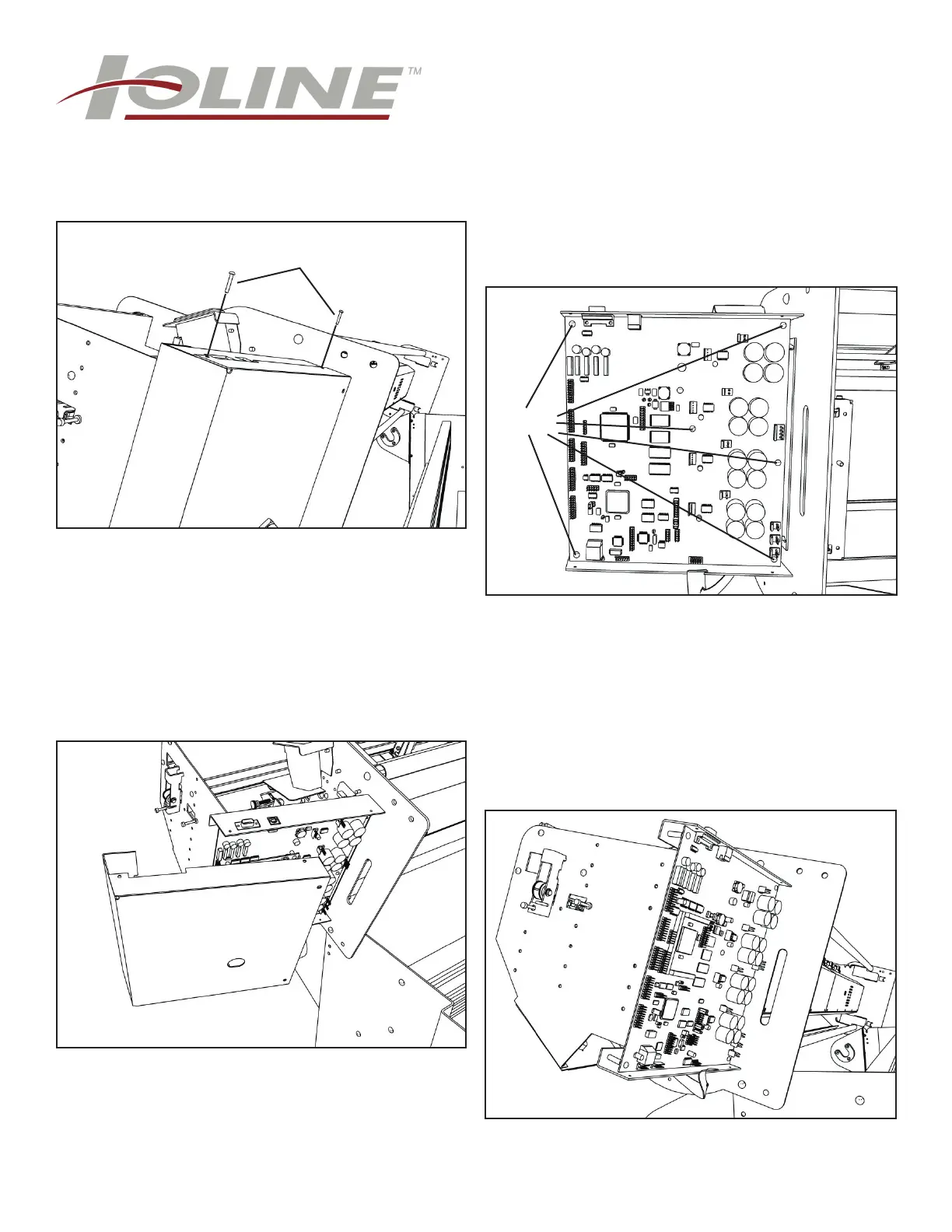
Remove the logic board cover. Note: Carefully unplug
the take-up connector from the logic board before
completely removing the cover.
7. Mark the plugins as needed and carefully unplug
the connections from the board. Remove the 6 silver
phillips screws holding the board in the machine. Sup-
port the logic board with hand when removing the last
screw to prevent it from falling onto the fl oor.
5. Remove the 4 phillips screws that hold the logic
board cover on.
Cover screws (Rear)
8. Pull the bottom of the board out fi rst. Then pull the
PCB away from the rear so the serial port connection
is not damaged.
NOTE: Don’t force it.
Screws



 To Next Page