blinking.
l
Do not use any 6-pin FireWire cable with your drive other than an Iomega cable.
For best performance...
l
Unused FireWire ports should be left empty. There are no terminators for FireWire connections.
l
Check the Iomega Web site www.iomega.com frequently for updated software and the latest
information on FireWire.
Using Your Peerless Drive System
Use your Peerless drive system just like any other drive on your computer. To access the Peerless drive
system, apply power to the drive, insert a disk, and select the Peerless drive letter (PC) or the Peerless icon
(Mac
®
). Store and copy files to and from the Peerless drive system using the same methods you use for other
drives on your computer.
The following topics are discussed in this section.
l
Inserting Peerless Disks
l
Ejecting Peerless Disks
l
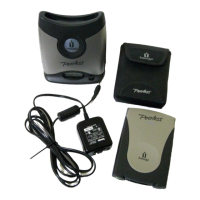
Separating the Peerless Base Station
l
Ejecting a Disk in Case of Power Loss
l
Minimizing Power Consumption (Drive Sleep)
l
Reading the LCD Display
Inserting Peerless Disks
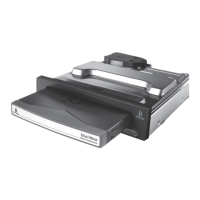
Insert a Peerless disk as shown in the illustration below. When you insert a disk into the Peerless base
station, the blue status/activity light will turn on and the LCD will display "0 KB/s".
If you can't read from or copy to the Peerless disk or it does not mount properly on your desktop after it is
inserted, eject it from the base station and insert it again. See Ejecting Peerless Disks below.










 To Next Page