www.naturalchoicewater.com
Step 4: Hot Water (Models 902, 904, 905 Only)
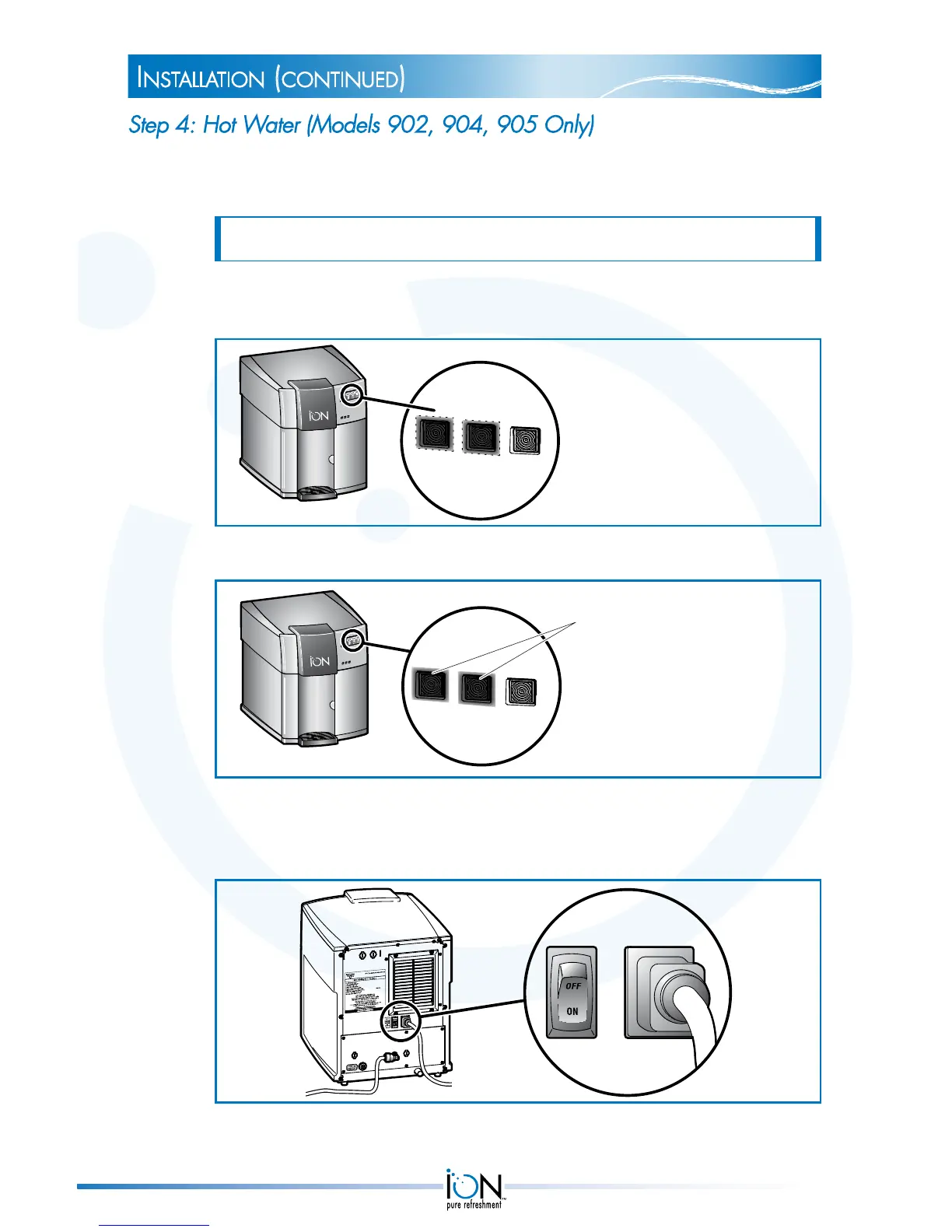
1. During the next two to four minutes, the ION automatically fills the hot
water tank.
NOTE: The ION will not dispense water from the faucet during this period.
During this period, LED 1 is green and blinking and LED 2 is orange and
blinking.
LED 1 is blinking green
LED 2 is blinking orange
2. When the ION is done filling the hot water tank, it is in Normal Operation Mode.
Normal Operation:
LEDs 1 and 2 are steady green
Blue light under faucet is on
3. Place a cup under the faucet and simultaneously press the hot and safety
buttons to dispense water. If water flows from the faucet, turn the Hot
ON/OFF switch to the ON position.
Allow 8-10 minutes for the hot water to reach an ideal temperature.
instaLLation (continued)
14


 To Next Page