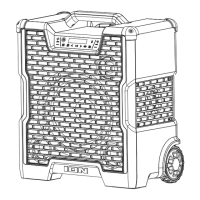
ION Audio Block Rocker
®
Icon User Guide 2
INTRODUCTION ........................................................................ 4
Box Contents .............................................................................................................. 4
Support ......................................................................................................................... 4
SETUP .........................................................................................5
Charging and Battery Information ..................................................................... 5
Outdoor Use and Care ............................................................................................ 6
FEATURES ................................................................................. 9
Front Panel .................................................................................................................. 9
Rear Panel .................................................................................................................... 11
OPERATION .............................................................................. 13
Pairing a Bluetooth® Device ................................................................................. 13
Linking Two Speakers ............................................................................................ 14
Light Modes ................................................................................................................ 15
Using the Radio ......................................................................................................... 15
USB Mode .................................................................................................................... 18
Using the USB Charge Port .................................................................................. 19
App Control .............................................................................................................. 20
TROUBLESHOOTING ............................................................... 21
TABLE OF CONTENTS






 To Next Page