3
Quick Setup
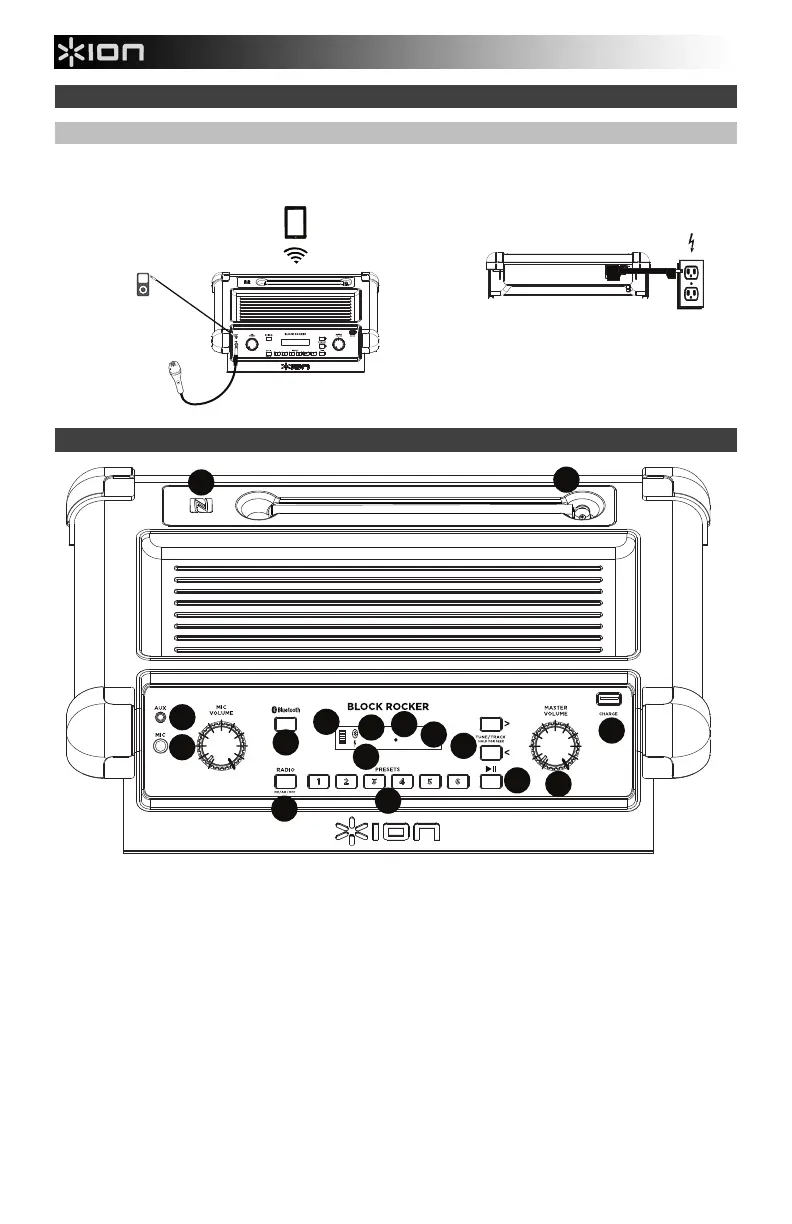
Connection Diagram
Items not listed under the Box Contents are sold separately.
Features
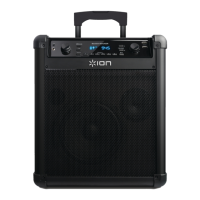
1. Microphone Input with Volume Control (1/4"): This mono input accepts a 1/4" input such as a microphone, guitar, or
other musical instrument.
2. Auxiliary input: This stereo 3.5mm (1/8”) input can be used to connect a CD player, MP3 player, or other audio source.
3. Bluetooth Button: Press the Bluetooth button to disconnect a paired Bluetooth device.
4. Bluetooth Icon: The Bluetooth icon will not be lit when Block Rocker is first powered on (unless it was previously
paired with a device). The Bluetooth icon will be lit solid when a device is paired to Block Rocker.
5. Master Volume Control: This adjusts the speaker’s main mix volume, which includes the Microphone Input, Auxiliary
Input, Radio, and the audio of a paired Bluetooth device.
6. AM/FM Presets: Store a favorite radio station and quickly tune to a preset radio station. There are 6 numeric positions
for the AM stations and 6 numeric positions for the FM stations.
To add a preset:
A. Select either the AM or FM band and then use the Radio buttons to select the desired radio station.
B. Press and hold a numeric preset button to assign the current station to that preset number. The display will show
“SAVE” to show the station has been saved. To use an added preset, tap a preset number once lightly to go to the
stored radio station.
7. Radio Selector: This button sets the Radio to AM or FM or turns the radio off.
8. Decimal Icon: The decimal icon will be lit when Block Rocker is powered on. The decimal icon will not be lit when
Block Rocker is powered off.
9. Display: Displays the current radio station, battery status, and Bluetooth status.
REAR PANEL
POWER
(for charging)
TOP PANEL
MICROPHONE
MP3
PLAYER
TABLET
13
15
16
14
12
10
11






 To Next Page