EasyManua.ls Logo

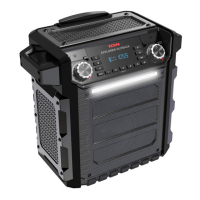
ION Block Rocker iPA76C - User Manual

ION Block Rocker iPA76C
7 pages
Print Icon
To Next Page IconTo Next Page
Loading...
Block Rocker
iPA76C
Quickstart Guide
English ( 3 – 6 )
Appendix English ( 7 )

Questions and Answers

  • C
    Cynthia NavarroAug 1, 2025
    How to fix distorted sound on ION Block Rocker iPA76C Speaker System?
    • K
      Kimberly MackAug 1, 2025
      If the sound from your ION Speaker System is distorted, try lowering the volume control of your sound source, musical instrument, or microphone. You can also reduce the overall volume of the speaker by using the Master Volume knob.
  • R
    Rachael GarciaAug 6, 2025
    How to make microphone louder than music on ION Block Rocker iPA76C Speaker System?
    • A
      Autumn SullivanAug 6, 2025
      If you can't hear the microphone over the music volume on your ION Speaker System, turn down the music volume from your source.
  • C
    Charles FernandezAug 10, 2025
    Why is my ION Block Rocker iPA76C making a high-pitched whistling noise with the microphone?
    • D
      Dana BurnsAug 10, 2025
      The high-pitched whistling noise you hear when using microphones with your ION Speaker System is likely feedback. To resolve this, point the microphone away from the speaker.
  • A
    Angela ReevesAug 16, 2025
    What to do if there is too much bass on ION Block Rocker iPA76C Speaker System?
    • L
      Lori SchmidtAug 16, 2025
      If there's too much bass on your ION Speaker System, try adjusting the tone or EQ control on your sound source to lower the bass level. This allows you to play music louder before distortion occurs. You can also control EQ using the free ION Block Rocker app for iOS and Android.
  • E
    Emily MillerAug 20, 2025
    What to do if ION Block Rocker iPA76C has poor AM reception?
    • D
      davidprattAug 21, 2025
      To adjust AM reception on your ION Speaker System, move the entire unit.
  • J
    Joshua GoodwinAug 27, 2025
    Why can't I play music from a flash drive on my ION Block Rocker iPA76C Speaker System?
    • J
      John SmithAug 27, 2025
      The USB ports on your ION Speaker System are only for charging USB devices.

Summary

Quickstart Guide

Introduction and Preparation

Steps for initial setup, checking contents, and preparing the device.

Battery Management

Recommendations for maximizing rechargeable battery lifespan.

Support Information

Resources for product information and registration.

Block Rocker Controls

Connection Diagram

Visual guide to all product ports and connections.

Front Panel Overview

Detailed description of front panel buttons and controls.

Block Rocker Features and Pairing

Rear Panel and Radio Operation

Description of rear panel inputs, radio tuning, and other controls.

Bluetooth and NFC Pairing

Instructions for connecting devices via Bluetooth and NFC.

Advanced Operation and Troubleshooting

Linking Block Rockers

Guide to linking two Block Rocker units for stereo audio.

Troubleshooting Common Issues

Solutions for common operational problems.

Appendix

Technical Specifications

Comprehensive list of product technical specifications.

Trademarks and Licenses

Information on trademarks, logos, and licenses.

ION Block Rocker iPA76C Specifications

General IconGeneral
BrandION
ModelBlock Rocker iPA76C
CategorySpeaker System
LanguageEnglish

Related product manuals