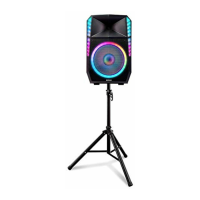
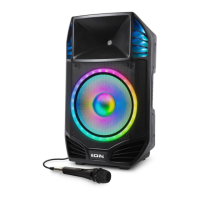
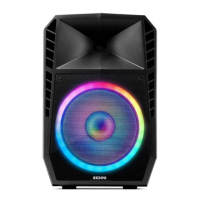
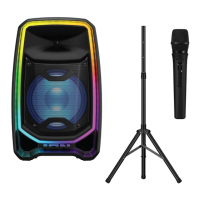
The ION Total PA™ Freedom is a portable loudspeaker designed for entertainment and audio amplification. It features a robust design with a speaker stand for optimal positioning and integrated lighting effects to enhance the user experience. The device supports various audio sources, including Bluetooth, USB, and auxiliary inputs, making it versatile for different setups. It also includes a wireless microphone for vocal performances or announcements.
Function Description:
The Total PA™ Freedom serves as a complete portable PA system. It can amplify audio from multiple sources, including Bluetooth-enabled devices, USB drives, and wired auxiliary inputs. The integrated wireless microphone allows for untethered vocal use. The speaker features a control knob for adjusting main volume, EQ, and echo effects, providing comprehensive audio control. Its Stereo-Link™ feature enables wireless linking of two Total PA™ Freedom speakers for a stereo sound experience. The device also includes dynamic lighting effects that can synchronize with music, adding a visual element to performances or parties. A USB charge/playback port allows for charging external devices and playing music directly from a USB flash drive. The ION Sound Control™ app provides remote control over various speaker functions, including volume, source selection, EQ, mic effects, and lighting modes.
Important Technical Specifications:
- Output Power: 650 W (peak)
- Speakers:
- Low Frequency: 12.0" (305 mm)
- High Frequency: 1.0" (25.4 mm)
- Frequency Response: 50 Hz – 20 kHz
- Bluetooth:
- Profile: A2DP, AVCTP
- Version: Bluetooth 5.0
- Range: Up to 100 ft. (30.5 m)
- Stereo-Link™ Range: 85 ft. (29.5 m)
- USB:
- Audio: Music playback from USB drive
- Supported File System: FAT32
- Supported File Type: MP3
- Maximum File Size: 4 GB
- Maximum USB Drive Size: 128 GB
- Power:
- Cable: IEC 320 C13
- Input Voltage: 100 – 120V~ 60 Hz, 320W
- Fuse: F5AL AC250V
- Dimensions (width x depth x height): 16.21" x 12.50" x 25.63" (412 x 318 x 651 mm)
- Weight: 37.48 lbs. (17 kg)
Usage Features:
- Quick Start: The manual provides a clear quick start guide, including checking box contents, studying the connection diagram, ensuring input devices are off and volumes are at zero, connecting devices, and powering on/off in the correct sequence.
- Speaker Stand Installation: Detailed instructions are provided for safely installing the speaker on its tripod stand, ensuring stability and proper height adjustment.
- Connection Diagram: A visual diagram illustrates how to connect various devices, including wireless and wired microphones, USB drives, smartphones (for charging), tablets, and power.
- Display: An LED display shows current operational information, such as volume levels, source, EQ, and echo settings.
- Control Knob: A multi-function control knob allows for adjustment of main volume, cycling through EQ settings (low, high), and adjusting microphone echo. The knob defaults to main volume and reverts after 5 seconds of inactivity. A factory reset can be performed by holding the knob for 5 seconds.
- Track Navigation: Dedicated buttons for "Next Track" and "Previous Track" are available for USB and Bluetooth audio sources. "Play/Pause" functionality is also included, with a double-press to stop playback and return to the beginning of the track list in USB mode. Holding "Play/Pause" for 5 seconds toggles voice prompts.
- Source Selection: A "Source" button allows users to switch between Bluetooth, AUX, and USB inputs. Bluetooth is the default source upon power-on.
- Lights: A "Lights" button cycles through ten different LED lighting modes, including "Crazy Rainbow Beat Sync," "Spinning Stars," "Beat Sync Star," "Bouncing Stars," "Starlight Effect - Beat Sync," "Firepit - Beat Sync," "Static Color," "Diagonal Waves - Beat Sync," "Two-Tone Cycle," and "Random," as well as an "Off" mode. Lighting effects are volume-dependent for optimal performance.
- USB Charge/Playback Port: This port serves a dual purpose: charging USB devices and playing MP3 music files from a USB flash drive (up to 128 GB, FAT32 format). The system orders files alphabetically by folder and then by track name.
- Wireless Microphone: The included wireless microphone has its own volume control (MIC 1 Wireless Mic Volume) on the speaker. Batteries (AA) are installed in the mic, and a reset switch is available if the mic loses connection.
- MIC 2 Inputs: Two inputs (1/4" / 6.35 mm & XLR) with a dedicated volume knob (MIC 2 Volume) allow for connecting an additional microphone or mic-level source.
- Aux Inputs: Both 1/8" (3.5 mm) and XLR auxiliary inputs are available for connecting line-level audio sources like CD players or MP3 players, with a "Source Volume" control.
- Mix Out (XLR): An XLR output allows for connecting the Total PA™ Freedom to another speaker, mixer, or recorder.
- Bluetooth Pairing: The speaker automatically enters Bluetooth pairing mode upon power-on. Users can connect their device by finding "Total PA Freedom" in their Bluetooth settings. Voice prompts confirm pairing status.
- Stereo-Link™: This feature allows two Total PA™ Freedom speakers to be wirelessly linked for stereo sound. Users press and hold the "Stereo-Link™ / Repeat" button on both speakers to establish the link. Disconnecting is done by double-pressing the same button.
- USB Mode Repeat/Shuffle: In USB mode, the "Stereo-Link™ / Repeat" button cycles through repeat options: "OnE" (repeat current track), "rAn" (random play), "ALL" (repeat all tracks), and "FOLd" (repeat current folder's tracks).
- App Control: The ION Sound Control™ app (available on Apple App Store and Google Play) provides comprehensive remote control over the speaker's functions, including main volume, source selection, source volume, mic volumes, EQ, mic echo, voice prompts, light effects, and firmware updates.
Maintenance Features:
- Troubleshooting Guide: The manual includes a troubleshooting section addressing common issues such as distorted sound, hum, low wireless mic battery, non-functional wireless mic, high-pitched whistling (feedback), low microphone volume over music, and Bluetooth connection problems.
- Plastic Protector: The display comes with a plastic protector that should be removed for optimal viewing.
- Firmware Updates: The ION Sound Control™ app supports over-the-air firmware updates to keep the device up-to-date with the latest features and improvements.
- Battery Installation: Clear instructions are provided for installing AA batteries in the wireless microphone.
- Reset Functions: The control knob can be held for 5 seconds to factory reset the speaker. The wireless microphone has a reset switch for re-establishing connection. Bluetooth connection issues can often be resolved by forgetting the device on the source device and re-pairing, or by power cycling the speaker.

 Need help?
 General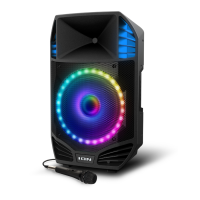



 To Next Page