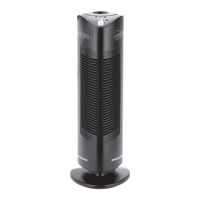
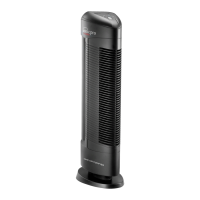
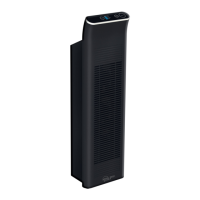
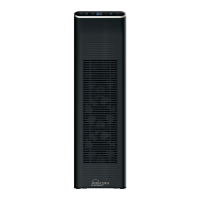
The provided manual describes the Ionic Pro® Ionic Air Purifier, model CA500, an appliance designed to improve indoor air quality by trapping unhealthy pollutants, allergens, irritants, and odors through an ionizing process.
Function Description
The Ionic Pro® air purifier operates by creating an ionized environment where airborne particles are charged and then attracted to collection blades, effectively removing them from the air. The system utilizes internal ionizing wires and collection blades to achieve this purification. It is designed to run quietly and offers different output settings to suit various room sizes and pollution levels. The device is intended for indoor use in homes, offices, and other environments.
Important Technical Specifications
- Power Requirements: The Ionic Pro® ionic air purifier operates at 120V AC and 60Hz only.
- Grounding: It features a grounding-type plug with a third grounding pin, which must be inserted into a grounding-type power outlet.
- Ozone Emission: The device complies with U.S. safety requirements for low ozone emission (less than 50 parts per billion) and meets the UL867 standard for consumer products, which is the U.L. standard for safety for electro-static air cleaners.
- Warranty: The product comes with a one-year limited warranty covering defects in materials and workmanship from the original purchase date.
Usage Features
- Controls: The device has a single ON/OFF BUTTON to turn the unit on and off and to cycle through output settings.
- Output Settings:
- HI (High Output): The default setting when the unit is turned on, recommended for large rooms and/or areas exposed to heavy dust.
- MED (Medium Output): Recommended for average-sized rooms where windows and doors are rarely opened. This setting provides shorter rest intervals than LO but longer than HI.
- LO (Low Output): The most cost-effective setting, recommended for smaller rooms. This setting results in longer rest intervals compared to MED or HI.
- Indicator Lights:
- LO, MED, HI Indication Lights: These LEDs illuminate to indicate the current output setting.
- CLEAN Indication Light: A red light that turns on when the unit needs cleaning or is experiencing another problem, and the unit will shut down if cleaning is overdue.
- Placement: The unit should be placed on a level surface at least one foot (12 inches) from the wall. It should not be placed outdoors, in humid environments (like bathrooms), near fireplaces, or in areas with flammable or combustible vapors.
- Ozone Scent: Users may notice a new, clean scent, which is ozone. The manual explains that this is a natural byproduct of the ionizing process and that the device operates within safe ozone emission limits.
- Uninterrupted Purification: The manual suggests purchasing an extra set of collection blades to ensure continuous air purification while one set is being cleaned and dried.
Maintenance Features
- Collection Blades:
- Cleaning Frequency: The collection blades should be cleaned after every month of use, or more frequently if exposed to heavy pollution, or when the red CLEAN light illuminates or excessive noise is heard.
- Cleaning Procedure: Turn off and unplug the unit. Lift off the removable cap and slide out the collection blades. Discharge residual electricity by touching the blades to an electrical ground (e.g., water pipe or metal faucet). Wipe away trapped particles with a slightly damp sponge or cloth.
- Drying: Allow at least 24 hours for the collection blades to dry thoroughly after cleaning with soap and water, or 2-3 hours if only a slightly damp cloth was used. Ensure blades are completely dry before re-inserting to prevent damage.
- Internal Ionizing Wires:
- Cleaning Frequency: The internal ionizing wires need to be cleaned after every two weeks of use, or if the unit starts making a buzzing noise.
- Cleaning Procedure: Use the WIRE CLEANING MECHANISM (a sliding component) by lifting and lowering it three to four times to scrape off particle residue.
- Important Note: Always return the wire cleaning mechanism to its original position after cleaning for the unit to function correctly.
- External Surfaces:
- Cleaning Procedure: Turn off and unplug the unit. Mix one ounce of laundry bleach with five ounces of water and apply sparingly with a sponge to wipe the outer case surfaces.
- Drying: Allow at least 24 hours for the unit to dry before resuming use.
- Caution: Do not allow water to slip into the internal parts of the unit to avoid damage or injury.
- Troubleshooting: The manual provides a troubleshooting guide for common issues such as the unit not turning on, the red CLEAN light being on, excessive noise, or collection blades not fitting correctly. Most issues are resolved by cleaning, ensuring proper insertion of parts, or resetting the unit.
- Deep Cleaning: Noisy functioning (a loud buzzing sound) indicates a need for a complete clean-up of both the collection blades and internal ionizing wires, following the detailed instructions for each.

 Need help?
 General

 To Next Page