Internal Use Only
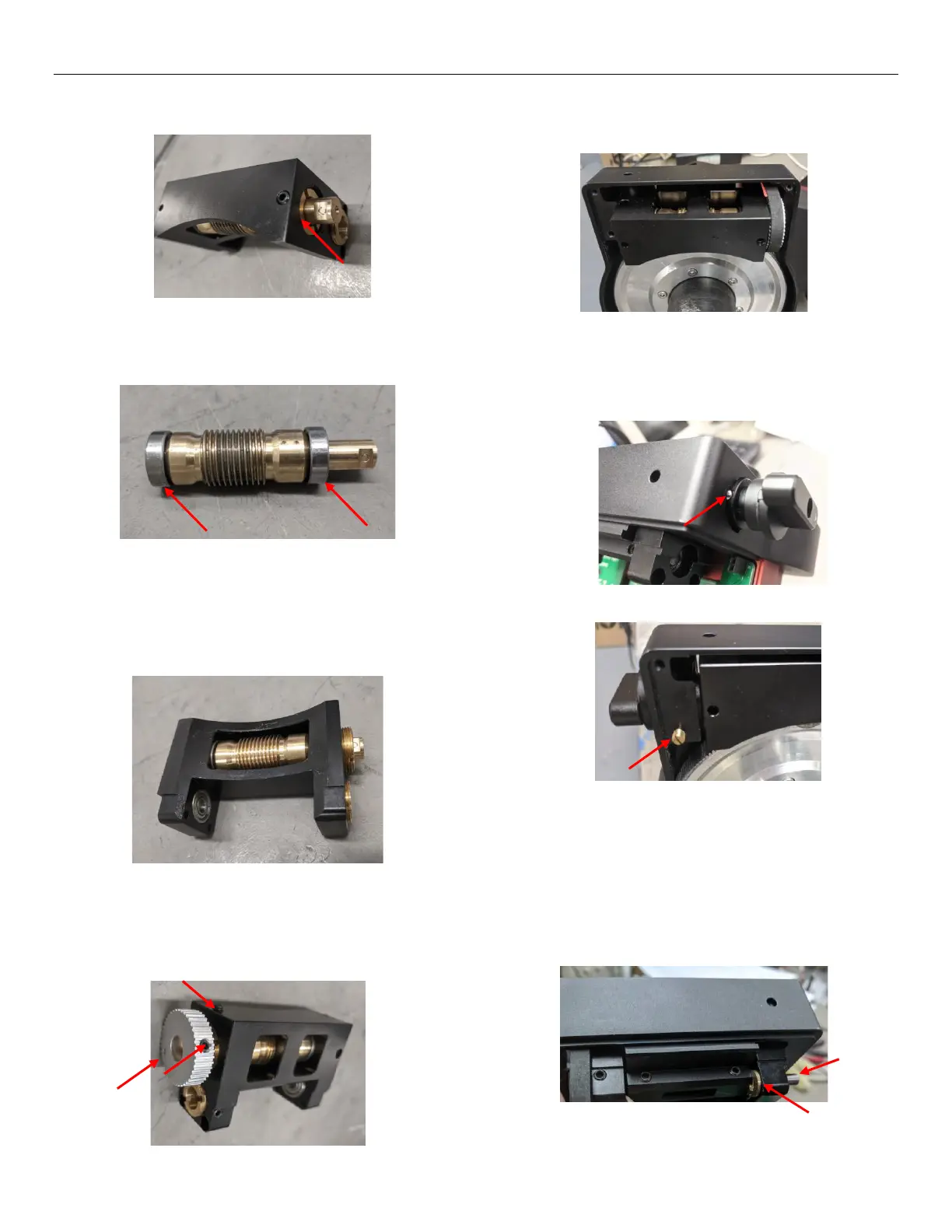
14. Remove the brown end cap and pull out the old
RA worm and its two bearings.
15. Remove the two bearings and check if they work
well. If working properly, use them with the new
worm. Otherwise, they should be replaced.
16. Put new worm with bearings into RA worm
housing. Then install the brown end cap. Adjust
and tighten the worm end cap to make sure that
the worm rotates freely and there is no free play.
(replace pic) Then fasten the setting screw gently.
17. Put back the pulley and pay more attention to
make sure that its surface with a dent is toward
outside. Tighten the setting screws for the pulley
and the worm end cap.
18. Grease the worm. Then wrap the belt to the
pulley and put back the whole worm assembly
into the mount frame.
19. Put back the clutch knob with the small ball and
spring by turning the clutch knob back and
forward slightly and while pushing it. Please pay
more attention to the small ball.
20. Install latch for RA gear switch knob.
21. Put one brown washer back between the worm
assembly and the mount frame. Insert one axel
from one side of the mount frame into the bearing
inside the worm assembly, and adjust the washer
and worm assembly to make sure the axel to go
through the bearing, washer and the worm
assembly. Then tighten the setting screw for the
axle.



 To Next Page