(3) Tablet/SmartPhone with Other OS
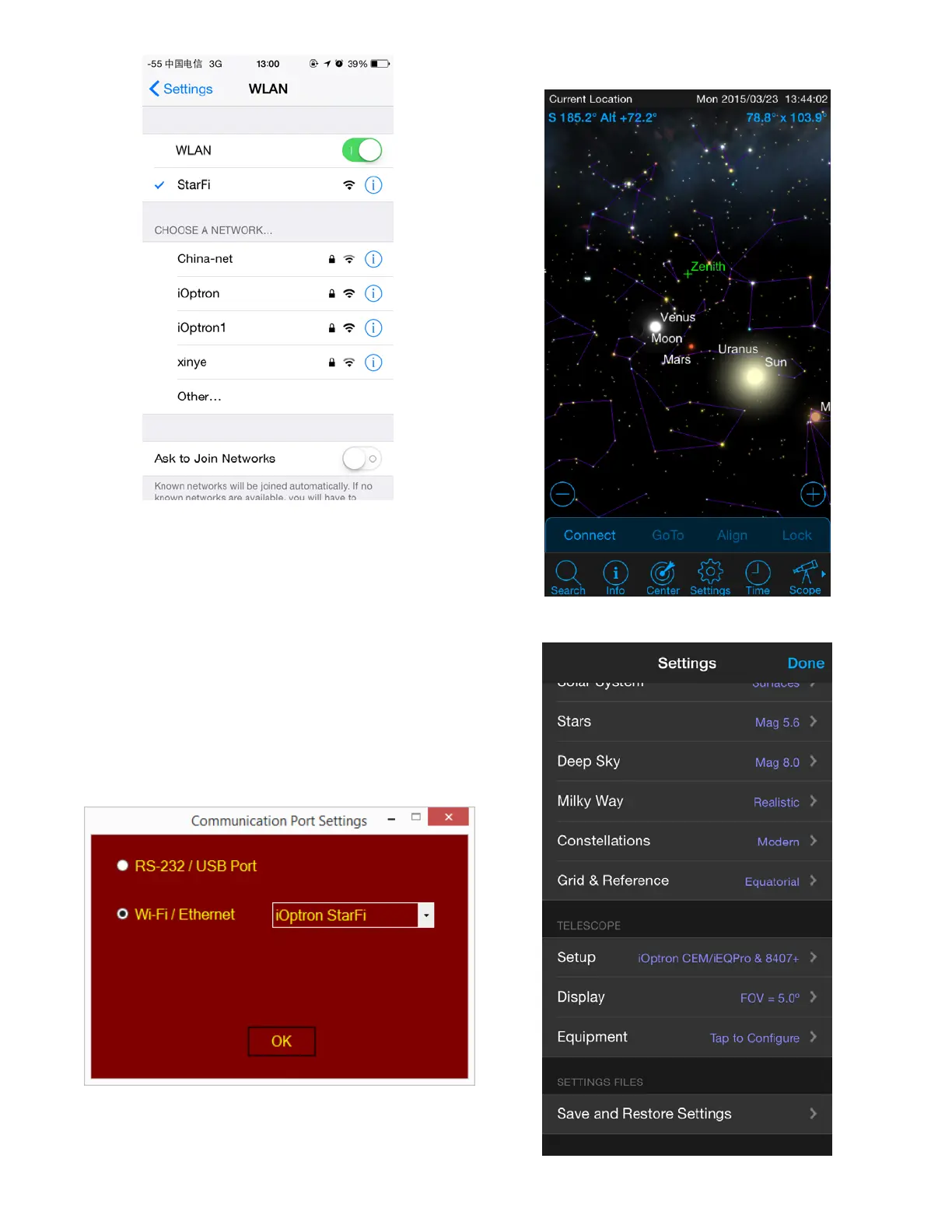
Open the Wi-Fi connection panel on your
device, Find a Wi-Fi SSID called “StarFi”, then
connect.
3. Connect the Mount
(1) Windows
After connect the computer to the StarFi WIFI
network, launch iOptron Commander to connect
the mount to your computer via StarFi. Then
you can use your favorite ASCOM compatible
software to control the mount.
(2) Tablet/SmartPhone with SkySafari
The App needs be configured first.
Step 1. Click settings.
Step 2. Click Setup.



 To Next Page