
 Need help?
Do you have a question about the iOttie Aivo Boost and is the answer not in the manual?
Download the iOttie Connect and Amazon Alexa apps for device setup and operation.
Plug the device into your vehicle's 12V socket and start the engine.
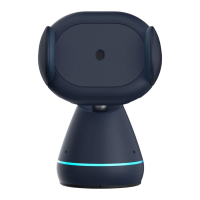
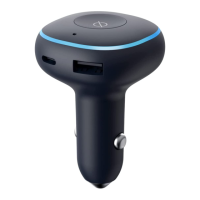
The LED Ring flashes orange, redirecting to the Alexa App for adding a new device.
Pair the device in the Alexa App via Bluetooth, allowing location access.
The LED Ring flashes blue three times, indicating Alexa is ready for use after pairing.
Ensure the latest firmware is installed via the iOttie Connect App for optimal experience.
Use Alexa for navigation, music, calls, and smart home control while driving.
Wake Alexa using the 'Alexa' wake word or by tapping the Wake Button.
Set your preferred default navigation app within the Alexa App.
Configure default music services like Amazon Music in the Alexa App.
Grant permission for voice messaging and calling in the Alexa App settings.
Ask Alexa for directions, nearest gas stations, or routes home.
Control music playback by asking Alexa to adjust volume or play songs.
Use Alexa for hands-free calling and sending text messages.
Ask Alexa about weather, stories, audiobooks, smart home, and news.
The Aivo Boost features USB-C (30W) and USB-A (18W) ports for charging two devices simultaneously.
Device complies with FCC rules, must not cause harmful interference, and accepts received interference.
Operate with 20 cm minimum distance from radiator and body; not co-located with other transmitters.
Confirms compliance with EU Directive 2014/53/EU for radio equipment.
Avoid rain, moisture, snow, extreme temperatures, flames, and strong magnetic fields. Use dry cloth for cleaning.
Do not use damaged devices, unauthorized attachments, or disassemble. Unplug before cleaning.
Always obey traffic laws and pay attention to the road; do not use the device while driving.
CE compliance, recycling symbol, design/manufacturing details, and brand/logo attributions.
 General
| Brand | iOttie |
|---|---|
| Model | Aivo Boost |
| Category | Automobile Accessories |
| Language | English |

 To Next Page