
 Need help?
Do you have a question about the iOttie Auto Sense 2 and is the answer not in the manual?
Important safety and operational guidance for mounting your phone.
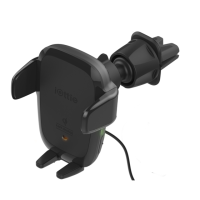
Overview of the product's features and components.
Technical details including input, output, dimensions, and weight.
Explanation of the LED indicators for charging status.
Steps for securely attaching the mount to the air vent.
Instructions for connecting the device to a power source.
How to operate the automatic clamping and releasing features.
Guidance on positioning the mount for optimal use.
Regulatory compliance information regarding radio frequency interference.
Important safety precautions and operational guidelines for use.
Industry Canada compliance and RF exposure guidelines.
 General
| Brand | iOttie |
|---|---|
| Model | Auto Sense 2 |
| Category | Automobile Accessories |
| Language | English |


 To Next Page