29/37
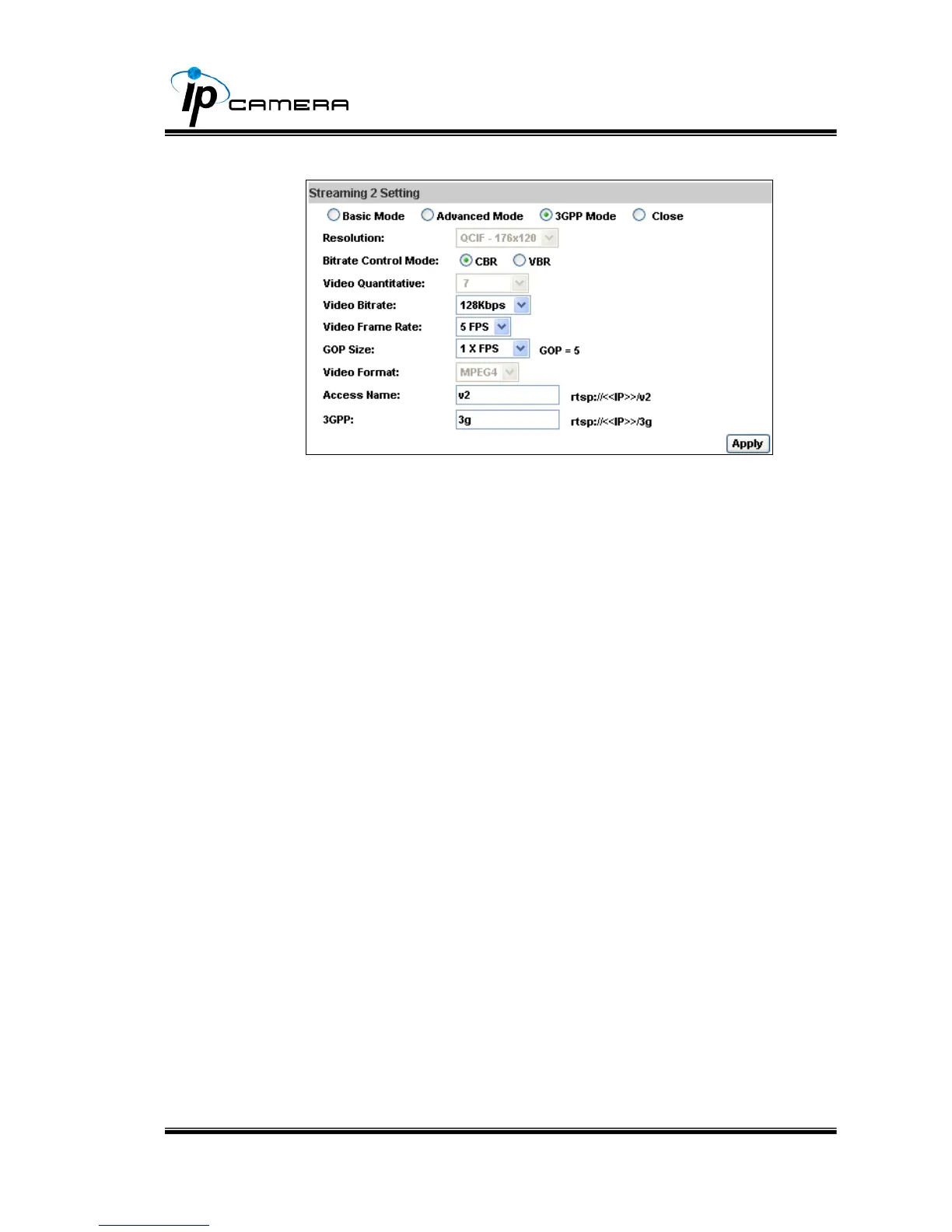
e. Streaming 2, 3GPP mode:
3GPP mode suggest setting: QCIF, lower than 128kbps, 5FPS, GOP= 1x FPS or 2x
FPS, MPEG4 format
1. Fix Resolution:
QCIF – 176×120 / 176×144
2. Bitrate Control Mode
There are CBR﹝Constant Bit Rate﹞ and VBR﹝Variable Bit
Rate﹞to use.
CBR:64Kbps~4Mbps (the higher the CBR is, the better the
video quality is)
VBR:1~10 (Compression Rate)
3. Video Frame Rate
( 5 FPS is recommended )
The video refreshing rate per second.
4. GOP Size
It means "Group of Pictures". The higher the GOP is, the better
the quality is.
5. Video Format:MPEG4 or JPEG
6. Access Name: RTSP output name
7. 3GPP: 3GPP output name
iii. Audio:
IP Camera supports 2-way audio. User can send audio from IP Camera
Built-in mic to remote PC; User can also send audio from remote PC mic
to IP Camera’s external speaker.
a. Audio from IP camera built-in mic to local PC: select “Enable” to
start this function.



 To Next Page