31/37
D. Event List
IP Camera provides multiple event settings.
i. Event Setting
a. Motion Detection:
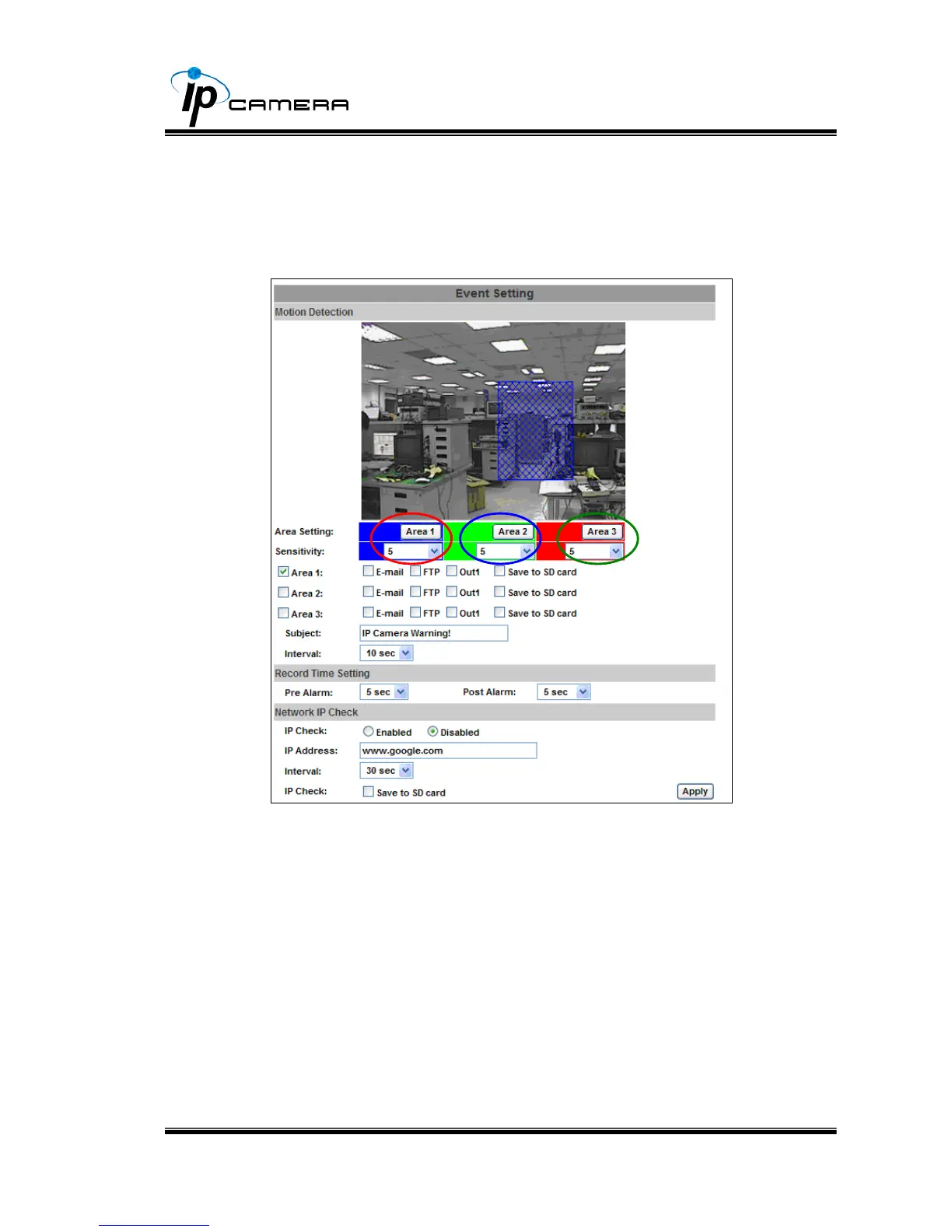
IP CAMERA allows 3 areas motion detection. When motion is
triggered, it can send video to some specific mail addresses,
transmit the video to remote ftp server, and save video to local SD
card. To set up the motion area, click “Area Setting”. Using mouse
to drag and draw the area. The same operation for area 2 and 3.
b. Record Time Setting:Pre Alarm and Post Alarm setups for video
start and end time when motion detected, I/O, or other devices got
triggered
c. Network Dis-connected
When the network is down, it will save the video to local SD card.
This function is only enabled in wire connection.



 To Next Page