35/37
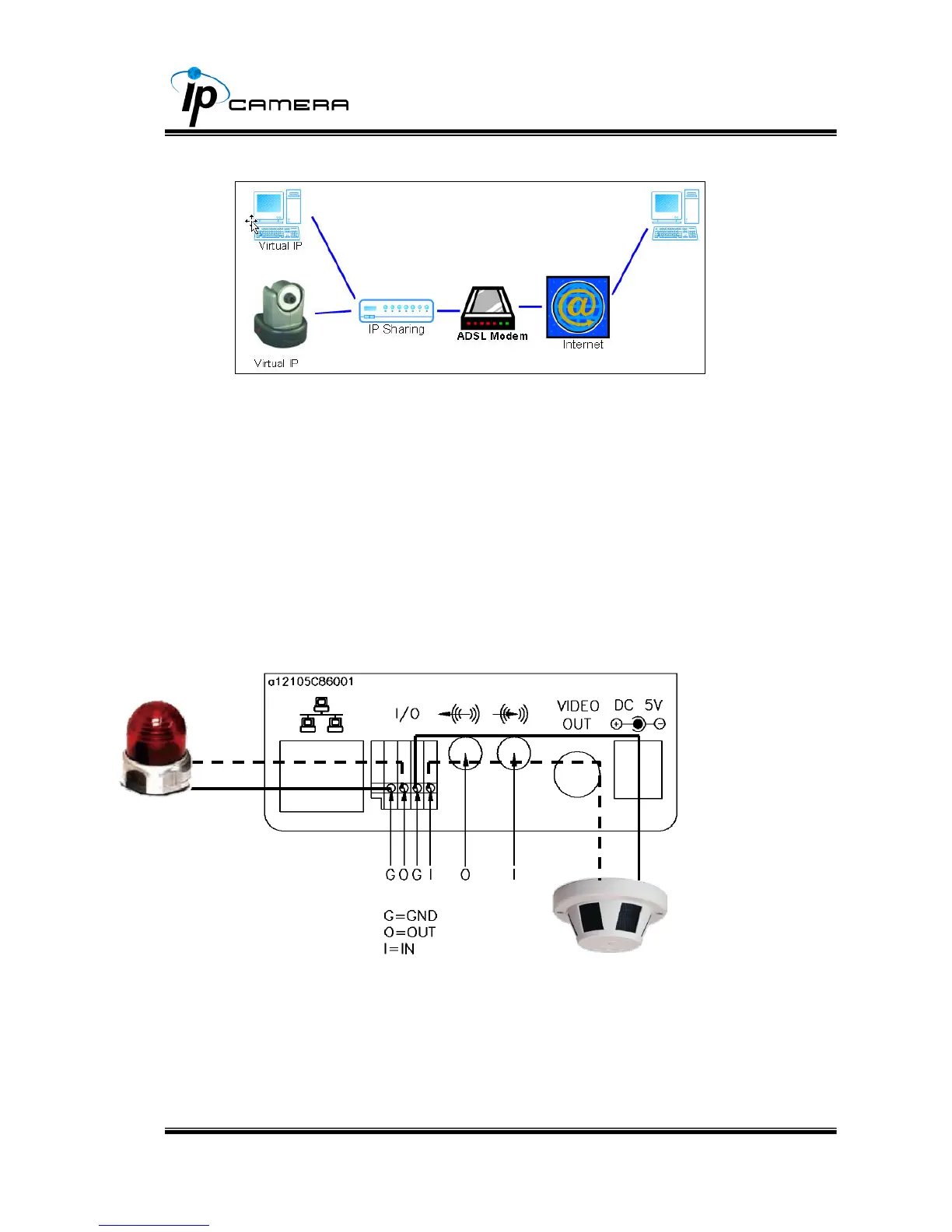
iii、 Configuration 3:
a. Internet Access:ADSL or Cable Modem
b. IP address:one real IP or one dynamic IP
c. IP Camera and PC connect to the internet
d. Device needed:IP sharing
e. Use virtual IP, set up port forwarding in IP sharing.
VII. I/O Configuration
i、 I/O Connection:
a. Please connect the G &O pin ( as above figure) to the external relay
(buzzer) device.
b. Please connect the G &I pin ( as above figure) to the external
Trigger Device.



 To Next Page