32/37
d. Network IP check:
Whenever the connection is down, it records the video to SD card.
Make sure the video recording is continuous. To use this function,
key in the IP address of the PC which has recording software
installed. Enable the function of “Save to SD card”, then click
“Apply”.
The interval of two video files recorded on SD card is fixed with 30 seconds.
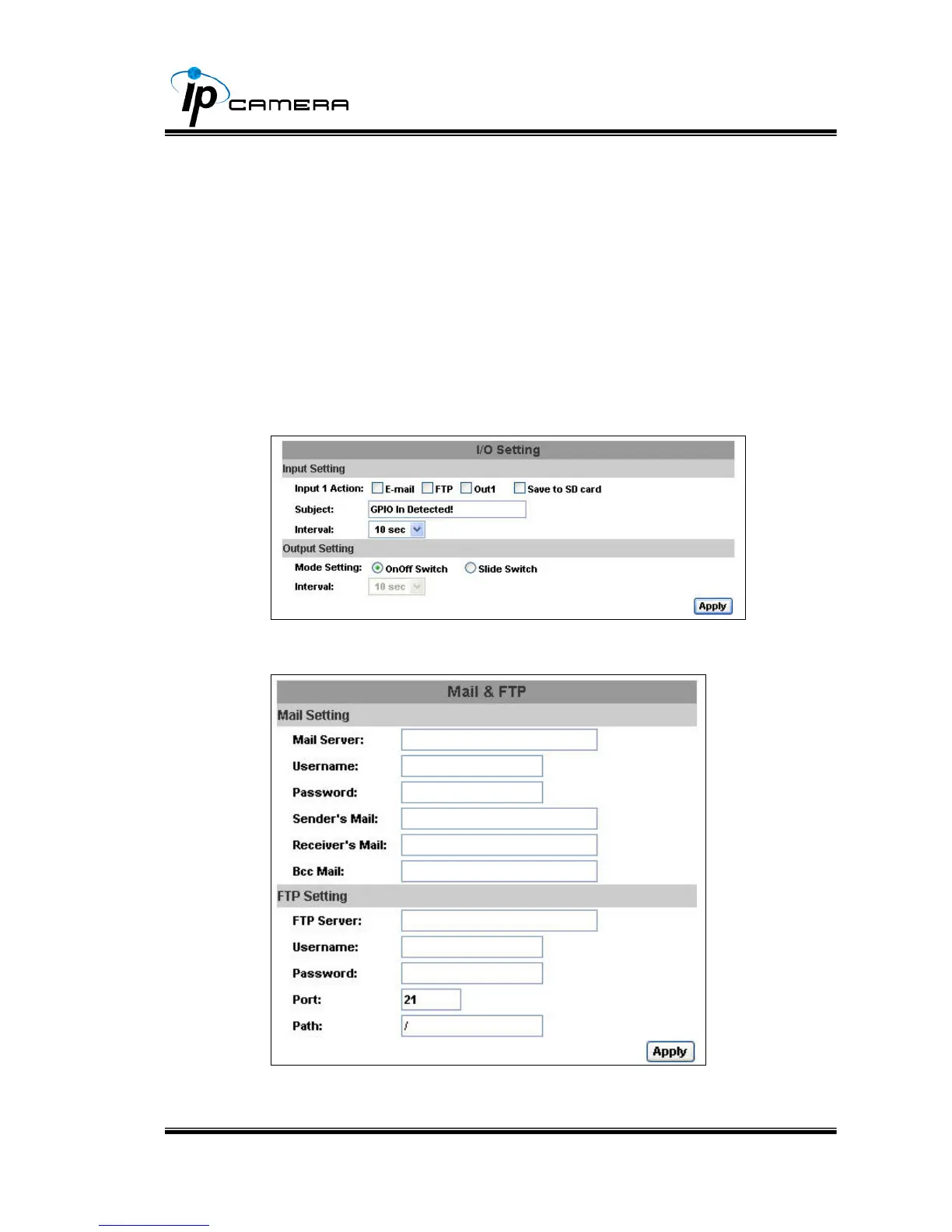
ii. I/O Setting
IP Camera supports 1 Input/ 1 Output. When input is triggered, it can
send the video to some specific mail addresses, transmit the video to
remote ftp server, trigger the relay, and save video to local SD card.
iii. Mail & FTP
To send out the video via mail of ftp, please set up the configuration first.



 To Next Page