8/37
B. Hardware Installation
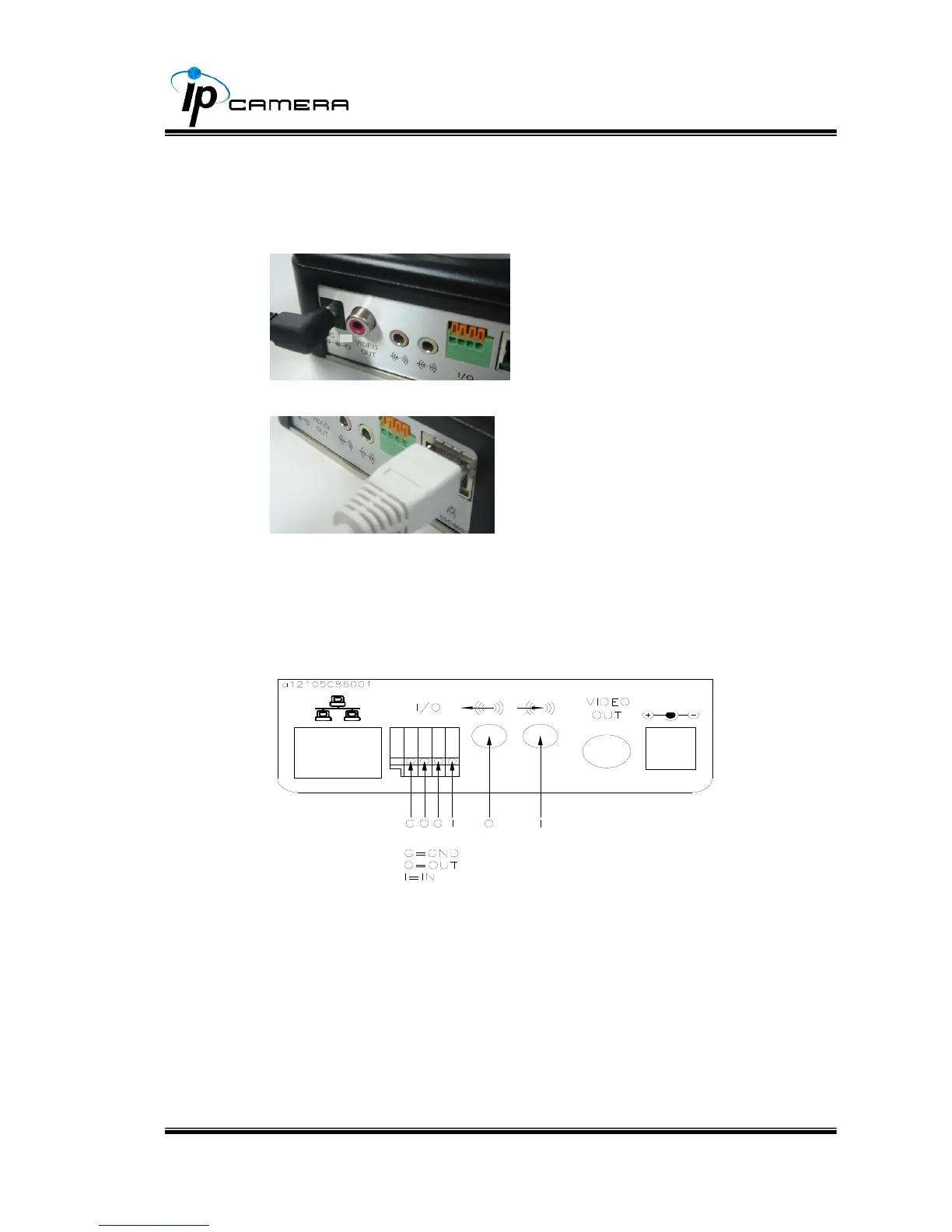
i. Connect power adaptor
ii. Connect IP Camera to PC or network with Ethernet cable
iii. Connect IP Camera to PC or network
iv. Set up the network configurations according to the network environment.
For further explanation, please refer to chapter VI, “Network
Configuration for IP Camera”.
v. Back Panel for your reference
vi. PoE ( Power Over Ethernet)(Optional)
802.3af, 15.4W PoE Switch is
recommended
Power over Ethernet (PoE) is a technology that integrates power into a
standard LAN infrastructure. It enables power to be provided to the
network device, such as an IP phone or a network camera, using the
same cable as that used for network connection. It eliminates the need
for power outlets at the camera locations and enables easier application
of uninterruptible power supplies (UPS) to ensure 24 hours a day, 7
DC 12V



 To Next Page