Ericsson-LG Enterprise
iPECS LIP-9010 Handset - Key Features Guide
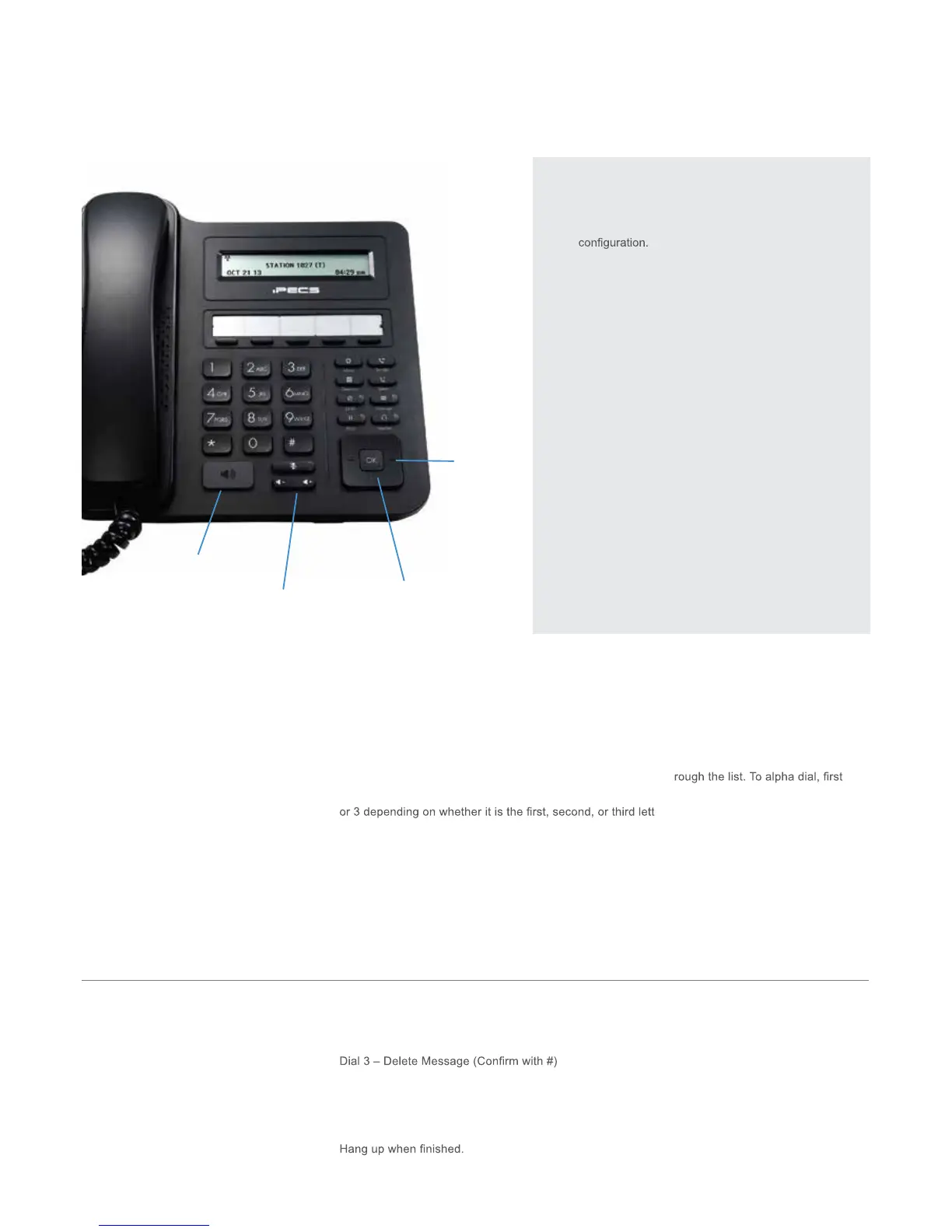
LIP-9010 Button Layout
10. Speaker
11. Volume
Navigation
Using the Phone Book Directory
Access the stored
telephone numbers in your system
Press the Directory button followed by one of the following options:
1 - for your PRIVATE saved numbers
2 - for the PUBLIC saved numbers
3 - for all INTERNAL extension numbers
Once selected you can then use the navigation keys to scroll th
press the button showing the letter you wish to dial – e.g. press 2 for the letter B. Then, press 1, 2
er on the button - e.g for the letter B,
press 2, then 2 again. For letter C, press 2 and then 3. Press OK to dial the number.
Accessing your Voicemail
Press the Message button. Scroll down to the voicemail box (VSF MSG) and press OK. Enter your
password: this is is your extension number followed by your pin number.
If you do not know your pin, contact your system administrator
Listening to Voicemail (Options)
Once you have accessed your voicemail inbox here are the options available to you:
Dial 1 – New messages (Dial 1 again to Replay Message)
Dial 2 – Next Message
Dial 4 – Forward message to someone else
Dial 5 – Call back the person who left the message
Dial 6 – Skip the message
Dial 8 – Record/ re-record message
Phone Directory
Voicemail
1. Menu: access the settings for your phone, such
as changing the font and display or changing the
2. Transfer: transfer the current active call or access
the Program menu while the phone is idle.
3. Directory: accesses the private, public and internal
phone books.
4. Speed: assign or use assigned speed dial numbers.
5. DND (Do-Not-Disturb): blocks incoming calls. You
can also activate Do-Not-Disturb while the phone is
ringing - this terminates the call and the caller will
get a busy tone.
6. Message: access your voicemail box.
7. Hold: place a call on hold – the caller will receive
on-hold music or comfort tones.
8. Headset: if a headset is plugged in this button allows
you to toggle between the headset and handset.
9. Mute: mute the call so that the caller cannot hear
your voice.
10. Speakerphone: toggle the speakerphone On and
Off during a call.
11. Volume control: adjust the Ring, Headset, Handset,
and Speaker volume.
12. Call log: a list of calls received, dialed and missed.
13. Flex keys: A line, feature or quick dial can be
assigned to these 5 programmable buttons.
1.
2.
3.
4.
5. 6.
7. 8.
9.
Button Guide
}
13. Flex keys
12. Call
log


 To Next Page
 Loading...






