1. Eight action buttons (NBDC/Y, R1/R2 L1/L2) can be set manually with TURBO function.
2. Setting method: Press the action button for a long lime, and then press the TURBO key to turn it on. Press the
action key for a long time, and then press the TURBO key again. The TURBO function will be turned off.
3. After the gamepad turned off, shutted down, steeped or restart the gamepad. The previous TURBO setting will
not be stored. If you want enable Turbo function buttons again, then please reset TURBO function.
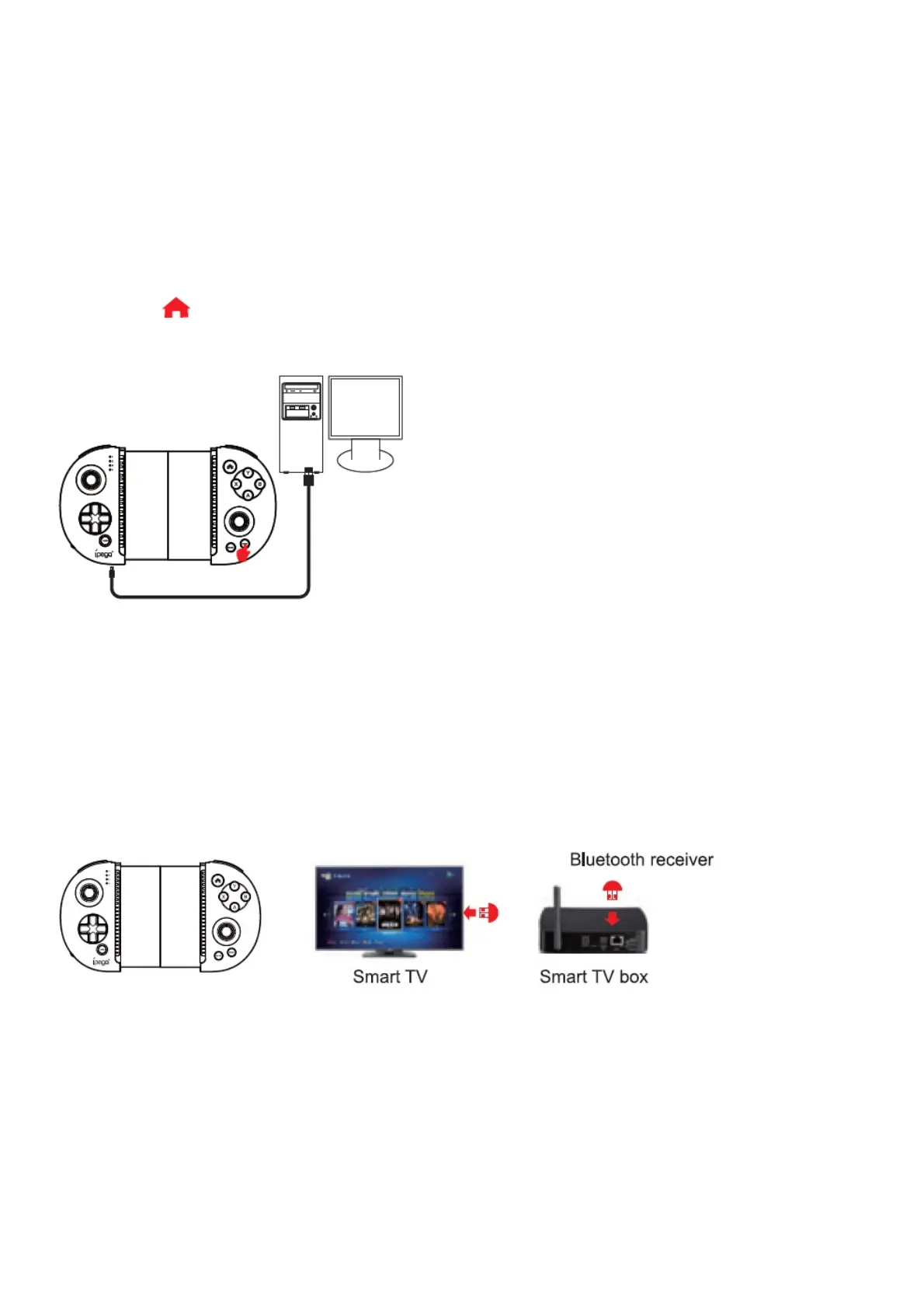
PC wired connection operation method:
1. Hold down the START key on gamepad to connect directly to the computers USB port via the USB cable. At
this point entered the USB wired mode.
2. After the wired mode connection is OK, the LED2 indicator is on; In this case, it is the PS3 mode, you can play
games on sony PS3.
3. Press the key for three seconds to switch to X-input mode and paying of 360 games on PC. The LED3
indicator lights up once successful connected.
Smart TV/TV box Bluetooth connection operation method:
You need to buy a Bluetooth 3.0 receiver separately
1. Insert the Bluetooth 3.0 receiver into the USB interface of the PC device/smart TV/TV box;
2. At the some time press the A + X button, the Gamepad into wireless pairing mode, LED1-LED4 indicators flash
at this time.
3. The LED2 of the Gamepad turn on, indicating that the wireless connection is OK; 4. Now you are ready for
playing games on the PC device/Smart TV/TV box!
How to connect PC device with Bluetooth:
1. Insert the Bluetooth 3.0 Dongle (not in the package) into the USB interface on PC device; The driver will be
installed by Windows system automatically;
2. At the same time press-,X key, the gamepad enter into wireless pairing mode, LED1-LED4 indicator flashes at
this time.
3. After the driver is installed successfully,the symbol of the Bluetooth device will be displayed in the lower right
corner of the computer.
4. Move the mouse to the Bluetooth symbol, click the right mouse button,and select “Add device”.
5. After selecting “Add deuce”, the device model (PG-9087) icon can be searched.
6. Click “next”, and select “Do not use the code to match”, it will be automatically added after confirmed , then



 To Next Page